
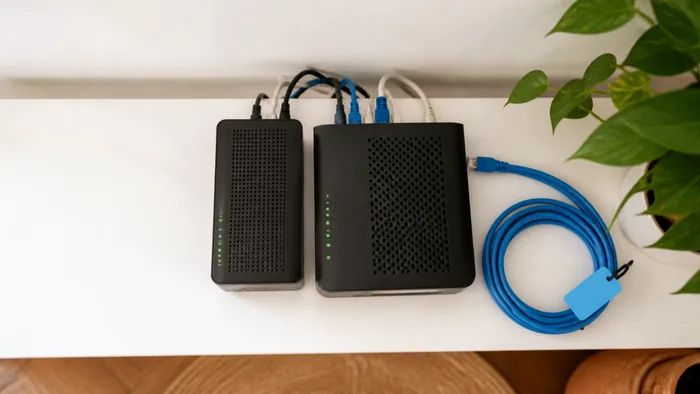
When your phone system goes down, business doesn’t just pause, it risks grinding to a halt. Whether due to internet outages, hardware failures, or unexpected disasters, disruptions to communication can cost time, money, and customer trust. That’s where Cloud Voice Failover comes in.
This article explains how Cloud Voice Failover works, why it's essential for Australian businesses using VoIP, and how you can set it up to ensure uninterrupted communication, no matter what happens.
What Is Cloud Voice Failover?
Cloud Voice Failover is a backup system that keeps your business phone services running when your primary VoIP system experiences an outage. It automatically reroutes calls to an alternative destination, like a mobile phone, backup site, or voicemail, so your business never misses a beat.
It’s part of a broader business continuity strategy, especially critical for companies that rely heavily on phone-based communication with clients, suppliers, or internal teams.
Why Failover Matters for Australian Businesses
Australia’s geography, weather, and infrastructure pose unique challenges. From regional NBN dropouts to severe weather events in Queensland or bushfire-related disruptions in Victoria, outages aren’t just possible, they’re expected.
A cloud-based VoIP failover system helps businesses:
- Maintain customer service even during internet or power outages
- Protect revenue by avoiding missed sales calls
- Build resilience in industries like finance, healthcare, and logistics where real-time communication is essential
- Support remote and hybrid workforces who rely on cloud systems to stay connected
Common Outage Scenarios and Risks
Understanding where things can go wrong helps you plan ahead. Here are some typical causes of VoIP disruptions in Australia:
Internet Outages
A common issue, especially in regional areas where NBN reliability can be inconsistent.
Power Failures
Storms, grid overload, or construction accidents can cut power, rendering local network hardware useless.
Hardware or PBX Failures
A faulty router, switch, or on-site PBX can take down your phone service completely.
Natural Disasters
Floods, fires, and storms can cause extended outages, sometimes for days.
Cybersecurity Incidents
DDoS attacks or security breaches can target VoIP infrastructure, cutting access instantly.
Without failover in place, even a short outage can damage your customer experience and internal operations.
How Cloud Voice Failover Works
Cloud Voice Failover relies on smart call routing and cloud infrastructure to keep your phone lines live. Here's how it works in practice:
Automated Call Routing
If your main line goes down, calls are automatically forwarded to backup numbers (e.g. mobiles or alternate landlines).
Cloud PBX Flexibility
With a cloud-based PBX, routing rules are managed remotely, no need for onsite technicians to reconfigure hardware.
Geographic Redundancy
Calls can be routed to teams in different states or cities if a local office is affected.
User-Defined Rules
You set the conditions, e.g., “If no response in 3 rings, forward to mobile,” or “If server is unreachable, redirect to voicemail.”
Softphones and Mobile Apps
Employees can use mobile or desktop softphones to answer calls from anywhere, even if the office is down.
Best Practices for Implementing Failover
To get the most out of your failover setup, follow these practical steps:
Audit Your Current Setup
Understand what’s hosted on-site vs. in the cloud. Identify single points of failure, like a local PBX without backup power.
Choose a Cloud-Based VoIP Provider
Providers like VoIP System offer built-in failover functionality, flexible call routing, and cloud-based PBX platforms.
Define Your Failover Rules
Decide where calls should go in different scenarios, to mobile phones, other offices, or external answering services.
Test Regularly
Simulate outages every quarter to make sure failover works as expected and staff know what to do.
Train Your Team
Make sure staff are aware of alternative communication channels and how to access them if your primary system fails.
Real-World Example: Failover in Action
Case: Legal Practice in Brisbane
A mid-sized law firm experienced a city-wide blackout during a summer storm. Their VoIP system, powered by a cloud PBX, automatically rerouted incoming client calls to staff mobiles within seconds. Using mobile apps connected to their cloud phone system, the team continued to take calls, schedule appointments, and support clients without delay.
They avoided losing leads, maintained service quality, and reassured clients, all thanks to their failover setup.
Conclusion: Don’t Let an Outage Disrupt Your Business
Downtime is inevitable, but total communication failure doesn’t have to be. With Cloud Voice Failover, Australian businesses can stay responsive, professional, and connected even when the unexpected strikes.
If you’re relying on VoIP and want peace of mind that your business will stay online during an outage, get in touch with us today. We’ll help you set up a reliable, resilient cloud communication system that keeps your business talking.