
DECT and cordless phones for business
Need handsets for your office?
The cordless range, handsets and bases
A handset needs a base to talk to. The small sites run one base, a warehouse or a hotel runs several and hands the call between them.
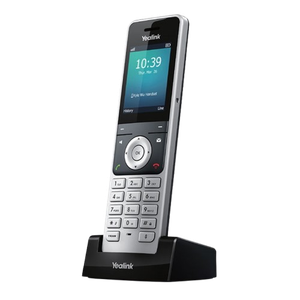 Yealink W56H Cordless DECT IP Phone Handset
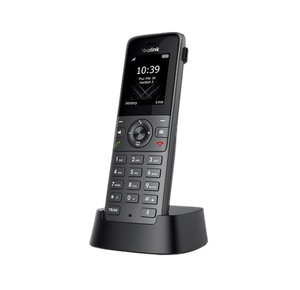 Yealink W73H High-Performance IP DECT Handset
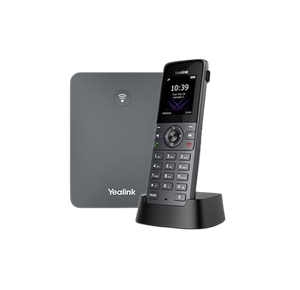 Yealink W73P IP DECT Phone
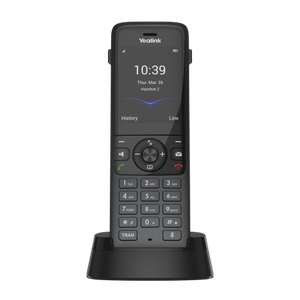 Yealink W78H Wireless DECT Handset
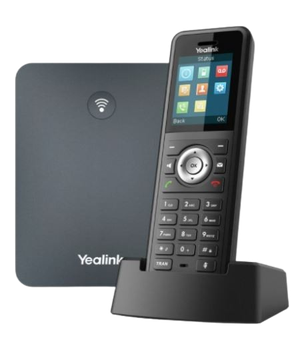 Yealink W79P DECT Solution including W70B
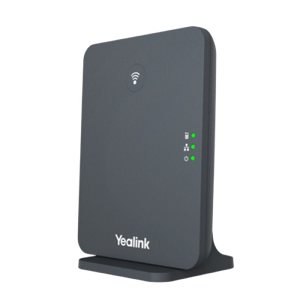 Yealink W70B base Station
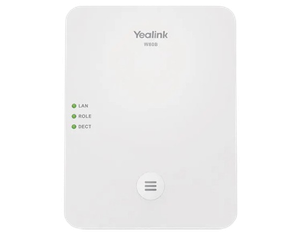 Yealink W80B Wireless DECT IP Multi-Cell System Solution
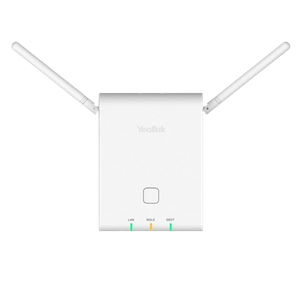 Yealink W90B Multicell DECT Base Station
If the person who needs to answer the phone is not sitting at a desk, a cordless handset solves a problem a desk phone cannot. This page covers what DECT is, how it works, how far it actually reaches, and where it is the right answer.
What DECT stands for
DECT is Digital Enhanced Cordless Telecommunications. It is the radio standard almost every business cordless phone uses, and it has been the standard for decades.
It matters for one practical reason. DECT is its own dedicated radio band, separate from your wifi. Your handsets are not competing with laptops, tablets, eftpos terminals and everything else on the network, so a busy wifi network does not make your calls break up.
Is a DECT phone a VoIP phone?
Both, and this is the question that confuses people most.
DECT describes the radio link between the handset in your hand and its base station. VoIP describes how the call travels once it reaches the base station. A business DECT system is a VoIP phone: the base station plugs into your network, registers to your phone system exactly as a desk phone does, and the handset is simply a cordless extension of it.
So a DECT handset does everything a desk phone does. It has an extension number, it takes transfers, it goes on hold, it does intercom, it appears in the directory. The person holding it is on your phone system, not on a separate cordless phone in the corner.
The cordless phone you buy in a shop is a different thing. That plugs into a phone socket and serves one line. It is not part of a business system and it cannot transfer a call to anybody.
How a DECT system works
A base station goes on the wall or the ceiling, positioned for coverage rather than convenience. It connects to your network by a single ethernet cable, which usually carries its power as well through Power over Ethernet, so it does not need a power point where it is mounted.
Handsets register to that base station. Once registered, each one has its own extension and can be called directly, and calls can be transferred between handsets and desk phones without anybody thinking about the fact that one of them is cordless.
Because the whole thing is SIP based, it works on any VoIP phone system. It is not tied to one provider.
How far the handsets actually reach
This is where published numbers mislead people, so here is the honest version.
Outdoors, with line of sight, a handset can work up to roughly 300 metres from its base station. That is the number on the box. Indoors it is far less, and the manufacturer's own figure for a base station with an external antenna is about 50 metres inside a building.
The reason is simply what the signal has to pass through. Plasterboard costs you a little. Brick, concrete, steel racking, cool rooms, lift shafts and foil backed insulation cost you a lot. A warehouse full of stacked stock is a harder environment than an empty one, which is why coverage measured on a quiet Sunday can disappoint on a Monday.
So the range that matters is the range in your building, not the range on the datasheet. For anything larger than a small office we would rather walk the site than guess.
When one base station is not enough
If one base station does not cover the whole site, you have two options and they are not the same.
A repeater picks up the signal from the base station and passes it on, extending coverage further out. It is the cheaper answer and it suits filling in one dead patch, a back store room or a far corner of a yard.
A multi cell system uses several base stations wired into the network and synchronised with each other. As somebody walks the building, the call hands over from one base station to the next without dropping. That is the answer for a large site where people walk and talk at the same time.
Multi cell scales a long way. The larger Yealink systems support hundreds of base stations and thousands of handsets on one system, so running out of room is rarely the constraint.
How many handsets, and how many calls at once
Two different limits, and people usually only ask about the first one.
Handsets per base station is how many phones you can register. A small business base station typically takes a handful. Larger systems take dozens per base station, and hundreds across a multi cell installation.
Simultaneous calls per base station is how many of those handsets can be on a call at the same time through that one base. It is a smaller number, and it is the one that bites. A base station with ten handsets registered but a lower simultaneous call limit is fine in an office where two people are ever on the phone at once, and not fine in a call centre.
If several people in the same area are regularly on calls together, that changes the design, so it is worth saying so before anything is quoted.
Where cordless beats a desk phone
The pattern is the same everywhere: the phone needs to be where the person is, and the person moves.
- Warehouses and distribution. Answering from the floor rather than walking back to an office.
- Aged care and nursing homes. Staff on the move across a large building, often with handover between wings.
- Pharmacies. The dispensary bench, the front counter and the consulting room, with one person often covering all three.
- Schools. Grounds, halls and demountables where cabling every room is not sensible.
- Construction sites. Site offices and yards, where a rugged handset earns its keep.
- Pubs, clubs and hospitality. Taking a booking from wherever you happen to be standing.
- Hotels and motels. Reception, housekeeping and maintenance on the same system.
- Workshops and surgeries. Anywhere the work happens away from a desk.
Some handsets are built for the harder end of that list. Rugged models add a belt clip, a tougher body and surfaces that survive repeated disinfecting, which matters in healthcare and food handling.
DECT, wifi handsets or a mobile?
Three ways to answer a call away from a desk, and they suit different problems.
DECT is its own radio network on its own band. It is the most reliable of the three for voice inside a building, because nothing else is competing for the airtime and the system was designed for calls and nothing else.
Wifi handsets use the network you already have. That sounds cheaper until you count what good voice coverage over wifi actually requires. A network built for laptops is not automatically a network that carries a call cleanly while somebody walks between access points.
Mobiles work anywhere with coverage, which is their whole advantage, and they are not on your phone system unless you add something to put them there. They also cost per handset per month, forever, and staff turnover means reassigning them.
Most sites end up with a mix. The question is which one belongs where, not which one wins.
Registering a handset to a base station
This is the single most common thing people ring about, and it is not difficult once you have done it. We have written it up step by step in the guide on connecting a Yealink cordless phone to a base station.
One thing worth knowing before you order. Handsets and base stations are sold separately as well as in kits. A handset on its own will not work until it is registered to a base station, and buying the wrong one of the two is the most common ordering mistake we see.
Which handset, and what it costs
Prices are on each product page. We do not take orders through this website. Tell us the building and how many people need a handset, and we will quote it, including installation, with the phones and the work priced separately rather than rolled together.
For the Yealink cordless range specifically, which models suit which job and what the letters after the model number mean, see Yealink phones. There is also a detailed review of the W73P cordless system, which is the one most small sites end up with.
Getting a straight answer
We are highly trained across this equipment and have been installing it for years, in exactly the buildings listed above. We are not the manufacturer, and we will tell you when a repeater does the job and you do not need a second base station.
If you already have a cordless system and it is not behaving, that is support rather than sales, and none of it is gated.
Tell us what the building is and how many handsets you need, and we will come back to you. Call 1300 865 879, or send us the details.
Common questions
- What does DECT stand for?
- Digital Enhanced Cordless Telecommunications. It is the radio standard used by virtually every business cordless phone, and it runs on its own dedicated band rather than on your wifi.
- Is a DECT phone a VoIP phone?
- Yes, in a business system. DECT is the radio link between the handset and its base station, and VoIP is how the call travels after that. The base station registers to your phone system exactly as a desk phone does, so the handset is a full extension with its own number.
- How far does a DECT phone work from the base station?
- Up to roughly 300 metres outdoors with line of sight, and about 50 metres indoors with an external antenna. Walls, steel racking and cool rooms all reduce it, so the number that matters is the one measured in your building.
- Can I extend the range?
- Yes, two ways. A repeater passes the signal on and fills in a dead patch. A multi cell system uses several synchronised base stations and hands a call over as somebody walks, which is the right answer for a large site.
- Will a DECT system work with my existing phone system?
- Almost certainly. The base station is SIP based, so it registers to any VoIP phone system. It is not locked to one provider or one supplier.
- Can I just buy a cordless phone from a shop?
- Not for a business system. A shop cordless phone plugs into a phone socket and serves one line. It has no extension number and it cannot transfer a call to anybody else, which is usually the whole reason for having it.
- How many handsets can I have?
- A small base station takes a handful. Larger systems take dozens per base station and thousands across a multi cell installation. The limit that catches people out is not handsets, it is how many can be on a call at the same time through one base station.
- Do you install these, or just supply them?
- Both. We install, and most cordless work is worth doing properly on site, because coverage is the thing that decides whether the system is any good.