
Connect a Yealink WH62 headset to a T54W desk phone
Connect a Yealink WH62 wireless headset to a Yealink T54W desk phone, and get calls routing to it properly. Takes about ten minutes.
The desk phone the headset plugs into
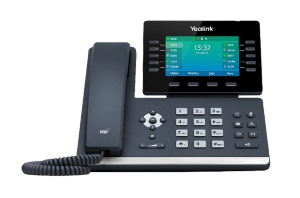
The Yealink T54W. The WH62 headset itself is not one of the handsets we stock, so it is not pictured here.
- Check the box contents. You need the WH62 base unit, the headset itself, the power adapter and the USB cable.
- Power the base. Plug the power adapter into the WH62 base and into a wall socket.
- Connect the base to the phone. Run the USB cable from the WH62 base to the USB port on the T54W.
- Set the phone's USB mode. On the T54W, press Menu, then Settings, then Basic Settings, then Bluetooth and USB. Set USB mode to Headset. This is what makes the phone treat the WH62 as an audio device.
- Pair the headset. With the base powered and connected, the headset usually pairs with its base on its own. If it does not, press the pairing button on the base and follow any prompt on the T54W screen.
- Test it. Make a call from the T54W. You should hear through the headset and be heard through its microphone.
- Adjust the levels. Volume and audio settings can be set on the WH62 base or on the T54W.
Before you start
Check you have the right handset. This guide is written for the T54W. The same method works across the Yealink T5 range, because the USB headset mode is a phone setting rather than a headset one. If your phone has no USB port, skip to the question about older models below.
Charge the headset first. A WH62 out of the box often has very little charge. Sit it in the base for half an hour before you judge whether pairing has worked, because a flat headset behaves exactly like an unpaired one.
You do not need anybody's permission for any of this. Nothing here changes your phone system. It is all on the desk in front of you.
If your phone has no USB port
Some Yealink desk phones connect a headset through the RJ9 headset port instead, the small socket on the back marked with a headset symbol. It looks like a phone cable socket and it is not the same as the handset one.
If that is your setup, the WH62 base connects with the supplied cable to that port rather than by USB, and there is no USB mode to set. The pairing step and everything below still applies.
The problem most people actually have
The headset pairs, the light says it is connected, and calls still come out of the phone's speaker.
That is not a pairing fault. It is the phone choosing which audio device to use, and it has a simple fix.
- Press the headset key on the T54W. It is the key with the headset symbol. When headset mode is on, the phone routes calls to the headset by default and there is usually an indicator on the display. If it is off, every call goes to the handset or the speaker no matter how well the headset is paired.
- Check the USB mode again. If USB mode is set to anything other than Headset, the phone will charge the base happily and never send audio to it.
- Answer from the headset itself. Pressing the call button on the WH62 answers and routes in one action, which sidesteps the question entirely.
Other things that go wrong
The headset works but callers say you sound distant. The microphone boom is probably too far from your mouth. It wants to sit roughly two fingers' width from the corner of your mouth, not down near your chin.
It drops out when you walk to the printer. DECT range is good but not unlimited, and it drops sharply through concrete, lift shafts and metal shelving. If you need the range, the base wants to be out in the open rather than under a desk behind a computer.
It worked yesterday and not today. Take the headset off the base, wait ten seconds, and put it back. If that does not do it, unplug the base's power for ten seconds as well.
Two headsets in the office keep grabbing the wrong base. Re-pair the one that is wrong, standing next to its own base, with the other base unplugged.
Common questions
- Do I need a different headset for a different Yealink phone?
- Usually not. The WH62 works across the Yealink desk phone range. What changes is how it connects, USB on newer models and the RJ9 headset port on some others.
- Can I use it with a computer as well?
- Yes. The WH62 base can present itself to a computer over USB, which is useful if you take calls on both. Which device it is serving at any moment depends on how the base is set up, and that is the usual reason a headset seems to have gone deaf on one of them.
- Is the WH62 the same as the WH63 or WH66?
- They are the same family and connect the same way. The differences are in the base and the display, not in the method above.
- The pairing button does nothing.
- Check the base is actually powered rather than only connected by USB. A base drawing power from the phone's USB port alone will sometimes run the lights and not the radio.