
Yeastar phone system support in Australia
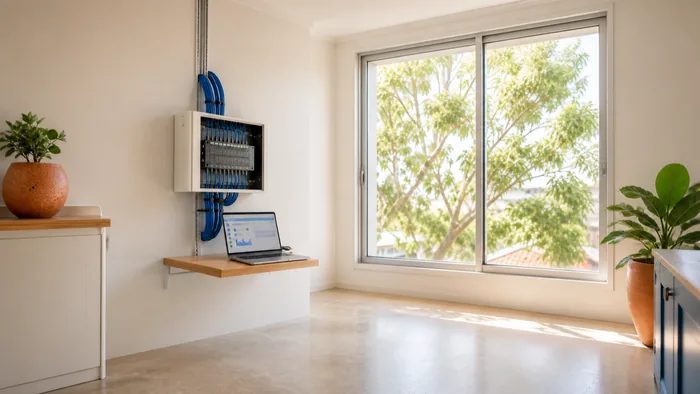
If your Yeastar system is not behaving, start below. If the whole office is down, skip to the section on everybody losing calls at once.
Are you looking for Yeastar themselves?
Some people who land here are, so it is worth saying plainly.
We are not Yeastar. We are not one of their partners, resellers or authorised agents. VoIP System is an independent Australian phone systems company, and we install, host and support Yeastar systems for businesses here.
If you are here to work out what a Yeastar actually does, rather than to fix one in front of you, that is a different page: what a Yeastar PBX does and who it suits.
How Yeastar support works, and when to use it
Yeastar is easier to reach than most manufacturers in this market, and it is only fair to say so.
They run a support portal and publish a support email address, and they list an Australian sales number. If you have a warranty question, a hardware fault on a unit still under cover, or you think you have found a bug, going to them directly is the right move.
What they cannot do is know your setup. Yeastar support the product. They do not know how your call routing was built, which trunk your numbers sit on, what your after hours rules do, or why the change somebody made last Tuesday broke reception's phone. That part is local, and that is the part we do.
Have your system's model and firmware version ready either way. Both are on the status page when you log in to the system.
What we help with
- P-Series systems, the current range, on premise or hosted.
- S-Series systems, the older range that is still doing solid work in a lot of offices.
- Linkus, the web, desktop and mobile apps people use instead of a desk phone.
- Call routing, inbound rules, ring groups, queues, IVR menus and after hours behaviour.
- CRM and Teams integration, which is a large part of what Yeastar is actually good at.
- Trunks and numbers, including porting and getting a new number answering in the right place.
The help on this page is free and there is nothing to fill in to read it.
One phone will not register
The system is up but a single handset cannot sign in.
- Restart the handset. Unplug its network cable, wait ten seconds, plug it back in, and give it a minute.
- Check whether anyone else has the same problem. If not, it really is that phone or that desk.
- Check the cable is in the socket marked LAN rather than PC.
- Move the phone to a known-good port and see whether it follows the phone or stays with the desk.
If it still will not register, the extension itself may be disabled or its password may have changed on the system. That is a settings change and it needs whoever administers the phone system.
Everybody has lost calls at once
When the whole office goes down together, the question worth answering before anything else is whether internal calls still work.
- Desk to desk works, outside calls fail. The system is running and the problem is the trunk or the internet connection. Check whether the internet is up at all.
- Nothing works, and the phones show no service. The system itself is unreachable. Check that the Yeastar unit has power and its lights are on, and that nothing in the comms cabinet has been switched off or unplugged.
- Everything works but callers cannot hear you, or you cannot hear them. One way audio is almost always a firewall or network routing problem rather than a phone fault. Note which direction failed and who was on each end.
Do not start changing settings to fix an outage. Note what you have found and get whoever manages the system on it, because a change made under pressure is the thing that turns a one hour outage into a one day one.
Calls are going to the wrong place
This is the most common Yeastar request that is not a fault at all. Somebody's number rings the wrong desk, calls come through after hours, or the menu sends people to a phone nobody sits at any more.
None of that is broken. It is the call routing doing exactly what it was told, usually years ago by somebody who has since left.
Worth knowing before you ask for a change:
- Which number the caller dialled.
- What time of day it happened, and whether it was a weekday.
- Where the call actually landed, and where it should have gone.
With those three, a routing change usually takes minutes. Without them it takes a conversation.
Linkus will not log in
Linkus is the app version of the desk phone. If it will not connect:
- Check the phone or computer has working internet. Linkus needs a connection to the system, and on a mobile that means data or wifi that reaches it.
- Log out and log back in.
- If you were set up with a QR code or a welcome email, that link may have expired. They usually do.
If the login itself is rejected, the account needs re-issuing from the system, which is an administrator job.
When it keeps happening
One outage is an outage. The same fault every week is a system or a connection problem, and it deserves a proper look rather than another reset.
Worth writing down each time:
- The time, and who noticed.
- Whether it hit one phone, one area, or everybody.
- Whether internal calls still worked.
- Whether the audio failed one way or both ways.
Four notes like that will usually name the cause on their own.
Getting someone to look at it
If you administer the system yourself and you are stuck, or if you have inherited one nobody has touched in years and you would rather not be the one to find out how it works, we can look at it with you.
If you are not the person who manages it, here is something to forward:
Our Yeastar phone system is doing the following: [what is happening, when it started, whether internal calls still work]. VoIP System supports Yeastar systems independently here in Australia and can look at it with us: voip-system.com.au
Call 1300 865 879, or send us the details and we will come back to you.
Common questions
- Is this Yeastar?
- No. Yeastar makes the systems. VoIP System is an independent Australian company that installs, hosts and supports them. We are not a Yeastar partner, reseller or authorised agent.
- Can Yeastar be reached directly?
- Yes, through their support portal and support email, and they list an Australian sales number. That is the right route for warranty and hardware faults. It is the wrong route for anything about how your own system was set up, because they do not have visibility of it.
- Can you take over a system somebody else installed?
- Yes, and it is most of what we do. We will want the administrator login and a look at how the call routing is built before changing anything.
- Does Yeastar connect to our CRM?
- Usually yes. Yeastar connects to most CRMs the same way, so the answer is rarely brand specific. Calls match to the right customer record, the record opens on screen when the phone rings, and the call gets logged back afterwards. Microsoft Teams works differently and is worth its own conversation.
- Our S-Series is old. Do we have to replace it?
- Not automatically. Plenty of S-Series systems are still doing exactly what the business needs. The questions worth asking are whether it still gets firmware updates, whether it does what you now need it to do, and whether anyone can still administer it. If all three are yes, leave it alone.