
Connect a Yealink cordless phone to a base station
Register a Yealink DECT cordless handset to its base station so it can make and take calls. Takes about five minutes once the handset has charge.
The hardware in this guide
Registration works the same way across the Yealink DECT range. These are the base and handset combinations we see most often.
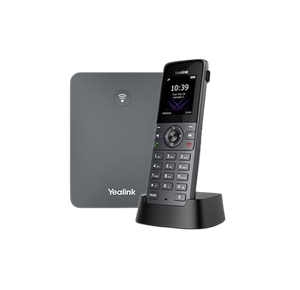
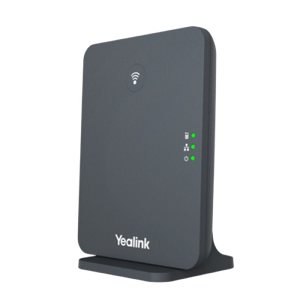
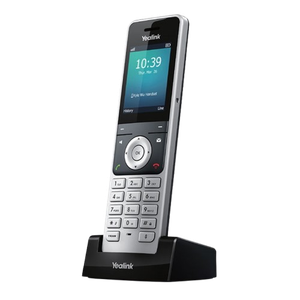
- Power the base station. Plug the power adapter into the base and into a wall socket. If the base connects to your network, run its Ethernet cable to the wall port as well.
- Charge the handset. Put the battery in and sit the handset in its charging cradle. Let it charge properly before you go any further.
- Start registration on the handset. Press OK or Menu to open the main menu. Go to Settings, or Registration on some models. Choose Register Handset and press OK.
- Put the base into registration mode. Press and hold the Paging button on the base, usually on the side or the back, until its light starts flashing.
- Complete the registration. On the handset, pick the base if you are asked which one. Enter the base PIN, which is 0000 unless somebody has changed it, and press OK. Wait for the confirmation message.
- Test it. Make a call and check you can hear and be heard.
Before you start
Charge the handset first, properly. This is the step people skip and it causes more failed registrations than anything else. A handset with almost no charge will light up, show a menu, and then fail partway through registration for no visible reason. Half an hour in the cradle first will save you the whole exercise twice.
Find the paging button before you begin. On most Yealink bases it is a single button on the front or the side, sometimes marked with a paging symbol rather than a word. You need to be holding it while the handset is looking, so it is worth knowing where it is rather than hunting for it with a countdown running.
Nothing here touches your phone system. Registering a handset to its base is a conversation between those two devices. You are not going to break anyone else's phone.
Which base you have matters
Yealink DECT bases look similar and behave slightly differently. The W60B, W70B and W90B all follow the method above, but the button placement and the light behaviour are not identical, and the W90B supports far more handsets than the others.
If the base has a label on the underside, read it before you start. It will tell you the model, and on some units the PIN if it has been changed from the default.
How many handsets can I register?
More than most offices need, and the number depends on the base. If registration fails and everything else looks right, it is worth checking whether the base is already full. On a base that has been in service for years, there are often handsets registered that nobody has seen since.
Deregistering an old handset frees the slot, and that is done from the base's settings rather than from the handset that has gone missing.
If the handset will not find the base
Work through these in order.
- Move closer. Stand next to the base while you register. Range matters much less once registered than it does during registration.
- Check the base is really in registration mode. The light should be flashing, not solid. If you are not sure, release the paging button, wait, and hold it again.
- Check the PIN. It is 0000 on a base nobody has changed. If somebody has changed it and left, the base can be reset, but that deregisters every other handset on it, so it is a last resort in a working office.
- Take the battery out. Ten seconds, then back in, then try again.
If the handset shows "searching for base" as its normal state rather than during setup, that is a different problem with a different cause, and the guide on a Yealink phone that cannot find its base covers it properly.
Common questions
- What is the default PIN?
- 0000 on a base that has not been changed. There is no universal override if it has been, which is why the reset is the fallback.
- Can I register a handset to two bases?
- Yealink handsets can hold more than one base registration and be told which to use. It is useful across two sites and it is a common cause of confusion when nobody knows it has been set up.
- I have a new handset and an old base. Will it work?
- Usually, within the same generation. DECT is a standard, so mixing is often fine, but feature support varies and a very new handset on a very old base can register and then behave oddly. If both are Yealink and neither is ancient, expect it to work.
- The handset registered but calls do not come through.
- That is a phone system question rather than a base one. The handset is talking to the base correctly, but the extension behind it either does not exist or is not pointed at that handset. Whoever manages your phone system can see that in a moment.
- Do I need to do this again after a power cut?
- No. Registration survives being unplugged. If a handset loses its base after a power cut, something else has changed.