
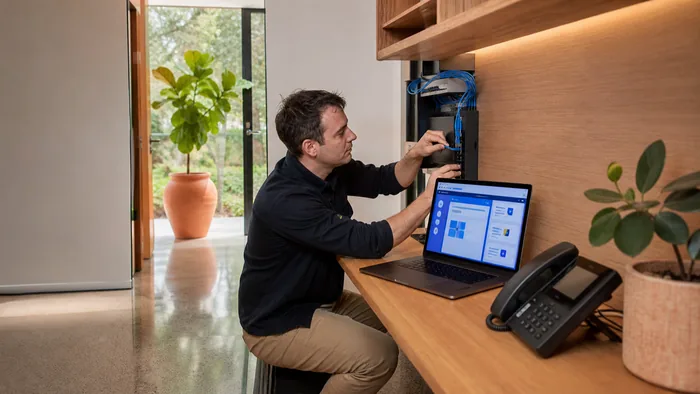
Yeastar make the phone system that sits behind the handsets. If you are weighing one up for your office, or you have inherited one and want to know what it can actually do, this is the plain version.
What a Yeastar is, and where it sits
The Yeastar is the PBX. It is the part that decides what happens when a call arrives: which phones ring, in what order, what happens after hours, and where the call goes when nobody picks up.
The handsets on the desks are a separate purchase, and they do not have to be Yeastar. Most offices we work in run Yealink or Grandstream handsets on a Yeastar system, and that is normal rather than a compromise.
The P-Series, and the S-Series it replaced
P-Series is the current range. It handles voice, video and messaging in one system, and it is what any new install would be built on.
S-Series is the older range. Plenty are still in service and doing solid work, and there is no reason to replace one that is doing its job. Worth knowing the range has moved on, though, so if somebody is quoting you for a system, check which one you are being quoted.
Linkus, the phone on your laptop and your mobile
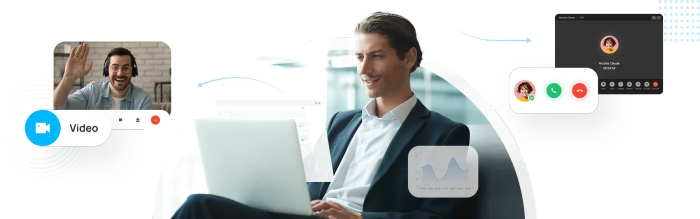
Linkus is the Yeastar system as an app. It runs in a web browser with nothing to install, and there are desktop and mobile versions as well. From it you can:
- Make and answer calls, including video, straight from the browser
- Transfer, hold and mute, the same as on a desk phone
- Set your own call forwarding and decide how your phone rings
- Listen to voicemail, download it, or have it emailed to you
- See your call history and your recordings
The practical version: somebody working from home answers the office number from their laptop, and the caller cannot tell. That is the feature most people actually want, and it is usually the one that decides whether changing systems is worth it.
Call queues, reception and busier phone rooms
Yeastar builds call queue and call centre handling into the system rather than selling it as a separate product. Calls can be routed by who is free, who has waited longest, or by who handles that kind of call, and the system reports on how long people waited and how many hung up before anyone answered.
Which of that you get depends on the plan the system is licensed on, and those plans change. We will tell you which one you actually need, which is usually a smaller one than you would be sold.
CRM and Microsoft Teams
Yeastar connects to a number of common CRM systems. What that buys you is the customer record on screen as their call comes in, calls logged against the contact without anybody typing them up, and dialling straight from the record.
It also syncs the customer directory between the two, so a number saved in one shows a name in the other.
The Microsoft Teams integration puts Linkus inside Teams, so people who already spend their day in Teams answer the office phone there instead of learning another app.
Which CRM systems are supported changes over time, so do not buy on the strength of it without checking. Tell us what you use and we will check it properly rather than guess.
There is more on each of those on its own page: connecting your phones to HubSpot, what a Cliniko connection involves, and using Microsoft Teams as the office phone.

On premise or hosted
A Yeastar can be a box in your comms cabinet or a system we host for you. The box is a one off purchase you own. Hosted is a monthly cost with no hardware to fail and no site visit when something needs changing.
Neither is automatically right. A single site with good internet and somebody technical on staff does well with a box. Several sites, or nobody who wants to own it, does better hosted. There is more on that on our hosted PBX page.
The standard features, for anyone comparing systems
Every Yeastar system does the following, whichever model and wherever it runs:
- Auto attendant and IVR menus
- Ring groups and call queues
- Call forwarding, transfer, parking and pickup
- Call recording, including one touch recording
- Voicemail, and voicemail sent to email
- Call detail records and reporting
- Business hours and after hours rules
- Direct numbers for individuals
- Conference calling
- Do not disturb, call waiting and caller ID
- Number blocking, for the callers you would rather never rang again
- Music on hold
- Paging and intercom
- A web based control panel
What we do with them
We install Yeastar systems, move numbers onto them, build the call routing, and support them afterwards.
We are not Yeastar. We are not one of their partners, resellers or authorised agents. VoIP System is an independent Australian phone systems company, and we work on these every week.
That independence is the point of us. We have no quota to fill and no reason to put you on a bigger system than you need. If what you have is fine, we will say so.
Already have a Yeastar that is misbehaving?
This page is about what the system does. If yours is in front of you right now and something is wrong with it, the troubleshooting is on our Yeastar support page. It is free to read and there is nothing to fill in first.
Talk to us about a Yeastar
Tell us roughly how many people need a phone, whether you have more than one site, and what you are running now. That is enough for us to tell you what would actually change and what it would cost.
Call 1300 865 879, or send us the details and we will come back to you.
Common questions
- Do we have to use Yeastar handsets with a Yeastar system?
- No. The system and the handsets are separate purchases. Most offices we work in run Yealink or Grandstream handsets on a Yeastar, and that is normal rather than a compromise.
- Can we keep our existing phone numbers?
- Yes, in almost every case. Numbers are ported across and it is a routine process. Tell us who your numbers are with at the moment and we will tell you what is involved.
- Is VoIP System part of Yeastar?
- No. Yeastar makes the systems. VoIP System is an independent Australian company that installs, hosts and supports them. We are not a Yeastar partner, reseller or authorised agent.
- We have an S-Series. Do we need to replace it?
- Not because it is old. An S-Series that is doing its job is worth keeping. The reasons to move are usually that you need something it cannot do, or that it has reached the end of its support life. We will tell you which of those applies to yours.
- How many people does a Yeastar suit?
- Anywhere from a handful of desks up to a few hundred. The size of the system is a licensing and hardware question rather than a different product, so the same range covers a small office and a busy phone room.