
Yealink phone says searching for base
What to do when a Yealink cordless handset says it is searching for its base station. Start with whether one handset is affected or all of them, because that halves the problem.
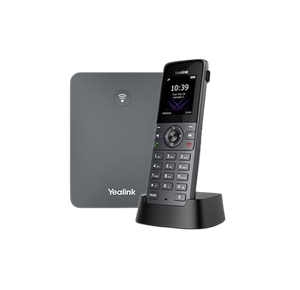
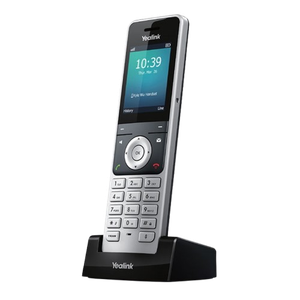
The hardware this happens to
Yealink DECT bases and cordless handsets. This page is for a handset that used to work and has stopped, rather than one being paired for the first time.
- Look at the other handsets first. If every handset in the office is searching, the problem is the base and you can stop looking at the handset in your hand. If only one is, it is that handset or its registration.
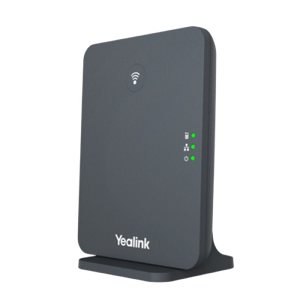
- Find the base station and look at it. It is the small box with the aerial, usually near the router or on a shelf. If it has no light on at all, it has no power, and that is your answer.
- Check the power properly. Follow the lead to the wall and check the switch at the socket, and the switch on the power board if it is on one. A base station on a switched board is the most common cause of this in an office that has just been cleaned or rearranged.
- Carry the handset to the base and stand next to it. If it finds the base there, this is a range problem rather than a registration problem, and the sections below cover what to do about that.
- Restart the base. Unplug it, wait ten seconds, plug it back in, and then leave it alone for two minutes. It has to finish starting before a handset can find it, and people usually give up before it does.
- Restart the handset. Take the battery out, wait ten seconds, put it back in, and let it start.
- If it is still searching after all of that, the handset has most likely lost its registration, which is a different job and the last section points you at it.
What the message actually means
The handset is not talking to its base station. That is the whole message. It is a radio link between two pieces of hardware sitting in your building, and it has nothing to do with your internet, your NBN connection or your phone provider.
That is worth knowing before you ring anybody, because it rules out most of what people assume. Your internet can be down and a registered handset will still say it is connected to its base. Your internet can be perfect and the handset will still say it is searching.
One handset, or all of them?
This is the question that halves the problem, and it takes ten seconds. Go and look at the other handsets.
- All of them are searching. The base is the problem. It has lost power, it has been unplugged, or it is still starting up. Almost always the first two.
- Only one is searching. The base is fine, so it is that handset: it is out of range, its battery is flat enough to have dropped the link, or it has lost its registration.
What the light on the base is telling you
The light behaviour is not identical across the Yealink range, so treat the middle case below as a prompt to look rather than a diagnosis.
- No light at all. No power. Check the socket, the switch and the power board before anything else.
- A flashing light. The base is either still starting up or it is waiting for a handset to pair with it. Give it two minutes before you decide which.
- A steady light. The base is powered and running, so the problem is on the handset side.
The things that change without anybody touching a phone
This fault usually arrives on a Monday, and nobody has done anything to the phone. Something else moved. None of the following is a fault with the handset, which is why nothing you do to the handset fixes them.
- A power board was switched off at the wall, or the socket has a switch and somebody knocked it
- The base was unplugged so something else could be plugged in, and never went back
- The office was rearranged and the base moved, or the handset now lives further away than it did
- A filing cabinet, a fridge or a new partition went in between the two
- The power went off overnight, the base restarted, and it came back up slower than the handsets did
Range, and what actually eats it
A cordless handset has a real range and the number on the box was measured in an empty field. Indoors it is a fraction of that, and what reduces it is mass between the two devices rather than distance on its own.
Concrete, brick, metal shelving, lift shafts and plant rooms all cost you far more than open floor does. A handset that works everywhere except one corner of the building is telling you about that corner rather than about itself, and moving the base somewhere more central usually settles it. That is a five minute job rather than a purchase.
If it has never worked at all, this is the wrong page
Everything above assumes the handset used to work and has stopped. If it is a new handset, or one that has never paired with this base, that is first time registration and it is a different procedure with a different set of things to check. It is covered properly in connect a Yealink cordless phone to a base station.
When to stop and ask somebody
If the base has power, its light is steady, and the handset still says it is searching while you are standing next to it, the handset has lost its registration and putting it back is the other guide above.
If you would rather hand it on, have these ready and it will take minutes rather than an afternoon:
- Whether one handset is affected or all of them
- What the light on the base is doing
- The model names off the underside of the base and the back of the handset
- Whether anything moved, was unplugged, or lost power recently, including overnight
Who we are, and what we are not
We are VoIP System. We install and support Yealink phones for Australian businesses and we see this exact fault regularly, which is why this page exists. We are not Yealink, and we are not one of their partners, resellers or authorised agents. A lot of people who reach this page were trying to ring the manufacturer, and the answer above is yours either way.
There is more Yealink troubleshooting on our Yealink support page. If the phones are still down, call 1300 865 879 or tell us what the screen says.
Common questions
- Why does my Yealink phone say "Searching for base"?
- Because the handset cannot hear its base station over the radio link between them. Nine times out of ten the base has lost power, has been unplugged, or is still starting up after a power interruption. Go and look at the base before you touch the handset, and check the wall switch and the power board as well as the plug.
- Why is my Yealink not connecting to base?
- Start by checking whether one handset is affected or all of them, because that splits the problem in half. All of them means the base has lost power or is still starting. One of them means that handset is out of range, its battery has dropped too low to hold the link, or it has lost its registration. Carrying the handset over to the base and standing next to it tells you which.
- Why does my phone keep saying "Searching for base"?
- A fault that comes and goes is almost always range rather than a broken phone. The handset is sitting near the edge of what the base can reach, so it holds on in one spot and drops in another. Moving the base somewhere more central, higher up, and away from metal shelving usually settles it. If it drops out at the same time every day, look at what else is switched on then.
- How do I register my Yealink handset to a base station?
- That is first time pairing rather than this fault, and it is a different procedure. Our guide on connecting a Yealink cordless phone to a base station covers it step by step, including the PIN and what to do when the base will not accept the handset.
- What do the lights on the Yealink base station mean?
- No light at all means no power, and that is the one worth acting on immediately. A flashing light means the base is starting up or waiting to pair, so give it two minutes before deciding which. A steady light means the base is running and the problem is on the handset side. The exact behaviour varies across the range, so treat a flashing light as a reason to look rather than a diagnosis.
- Can I fix this myself?
- Usually, yes. Checking the power, restarting the base and carrying the handset over to it solve most of these, and none of that can break anything or affect anybody else in the office. If the base is powered with a steady light and the handset still cannot find it while you are standing next to it, that is the point where somebody else should look at it.