
Cliniko phone integration for Australian clinics
Planning a new system or switching provider?
- Step 1A customer ringsYour published number, dialled the same way it always was.
- Step 2The phone system sees the numberIt reads the incoming caller ID before anybody has picked up.
- Step 3Your records are searchedThe number goes to your customer software, which looks for a match.
- Step 4The record opens on screenWhoever answers can see who it is, and what is already in play.
- Step 5The call writes itself downTime, direction and duration land on the record without anybody typing.
Cliniko is where a clinic keeps its patients, its appointments and its notes. The phone is where most of those patients actually arrive. Connecting the two means the person answering sees who is calling before they pick up, instead of asking every caller to spell their name while the waiting room watches.
This page covers what a phone to Cliniko connection actually does, why the front desk feels it more than anyone, and the one thing to check before you commit to anything. We install and support business phone systems. Cliniko stays exactly as it is.
What connecting your phones to Cliniko is for
Here is the shape of it, when a phone system and practice software are connected properly. Treat this as what to ask for, not what to assume, because which parts your own setup can deliver is exactly the question we answer before anything is bought. When a patient rings:
- The phone system recognises the incoming number.
- It looks the number up in your patient records.
- If there is a match, the details appear on screen for the person answering, before they have said hello.
- The call can be noted against the record, rather than on a sticky note beside the keyboard.
- Ringing a patient back can become a click on their record, not a number typed from a screen into a handset.
None of that changes what Cliniko does. The phone system passes it information and asks it questions. Your appointment book, your notes and your templates stay exactly as they are.
Why it matters most at the front desk
A clinic phone rarely rings at a convenient moment. It rings while somebody is being checked in, while a payment is going through, while the practitioner is asking for a file. And the caller is usually a patient who wants one of three things: to book, to move something, or to ask whether they need to come in at all.
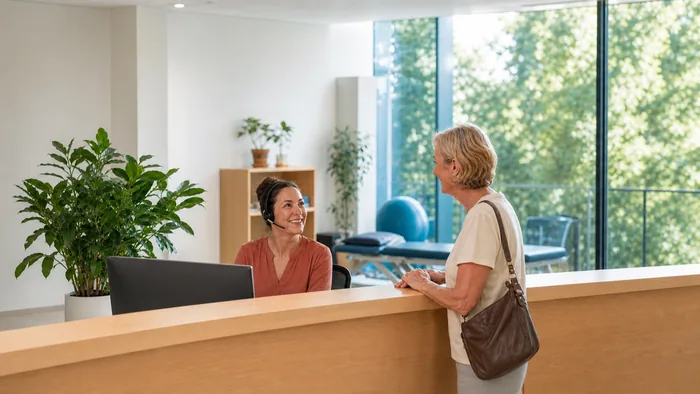
Answering that call today usually starts with a name, spelled out, and a date of birth, read aloud at a front desk with other patients standing at it. The point of connecting the phones to the practice software is that the record can already be open when the receptionist picks up, so the conversation starts at "what can I do for you" instead.
The phones are one part of how a practice runs on the day. There is a wider picture on phone systems for healthcare practices, including what happens to calls when every hand is busy.
What we set up, and what we confirm first
Cliniko is practice management software rather than a sales CRM, so a phone system reaches it differently to the big sales platforms. We do it either way. A call can arrive with the patient record already matched, and the call can be noted against that record afterwards, which is the same arrangement described on our HubSpot and Microsoft Teams pages.
What we confirm before you commit is your own combination. Which phone system you run, and how your Cliniko account is set up, decide the detail of how the two meet, and that detail changes over time. So we check it, tell you what it can and cannot do, and put it in writing first. A connection described honestly before you buy beats one discovered slowly afterwards.
Calls, recordings and patient privacy
A connection between your phones and your patient records should be set up deliberately. Who sees the screen when a call comes in, whether calls are noted against records, and who can look those notes up are all settings, and they should be decided rather than left on whatever they arrived as.
If call recording is in the picture, the rules on recording a call, and on what you may keep afterwards, are not the same in every state, and they are not something a phone company should be advising you on. Ask your own adviser what applies to you. What we can tell you is what the system does once you have decided.
The phone system underneath
This class of connection is a phone system feature, so the system matters more than the software it talks to. The systems we install and support include Yeastar, which builds customer record lookups into the platform, and the wider choices are covered on business VoIP systems.
We are not Cliniko, and we are not one of their partners, resellers or authorised agents. We do the phone side: the system, the numbers, the call routing and the support afterwards.
What it costs
We do not publish a price for this. What a clinic pays depends on the phone system it runs and on what the connection turns out to involve, which is part of what the check above settles. What a phone system bill looks like generally is set out on what a VoIP system actually costs.
Before you ask us about it
Three things make the first conversation useful:
- What phone system you have now, if you know it. A photo of the handset is enough.
- What happens to calls today when the front desk cannot answer.
- Who looks after your phones and your IT, so we know who to talk to about the technical side.
If the phones themselves are the real problem, missed calls, no after hours answer, one line for the whole practice, we would rather review the system with whoever looks after it for you than bolt a clever feature onto a setup that is struggling.
Call 1300 865 879, or send us the details and we will come back to you.
Common questions
- Does this replace Cliniko or change how it works?
- No. Cliniko stays exactly as it is. The phone system passes it information, a caller’s number to look up, a call to note against a record, and asks it questions. Your appointment book, notes and templates are untouched.
- Will it work with our Cliniko account?
- Yes, and we confirm the detail first. What varies is your own combination, which phone system you run and how your account is set up, so we check that and tell you what it can and cannot do before you commit to anything.
- Can the receptionist see who is calling before answering?
- That is the point of it, and it is one of the things we confirm your setup can do. Where the connection supports it, a call from a number that matches a patient record puts the details on screen before the call is picked up, so the conversation starts at "what can I do for you" rather than a name spelled out at the front desk.
- Do we need new handsets or a new phone system?
- Not necessarily. It depends on what you are running now, which is the first thing we look at. If your current system can do it, we will say so. If it cannot, we will tell you what would need to change before you spend anything.
- We do not run Cliniko. Does the same idea apply?
- Yes. The same class of connection exists for other software, and we cover HubSpot and Microsoft Teams on their own pages. Tell us what you run and we will tell you what your options look like.