
Hosted PBX for Australian business
Planning a new system or switching provider?
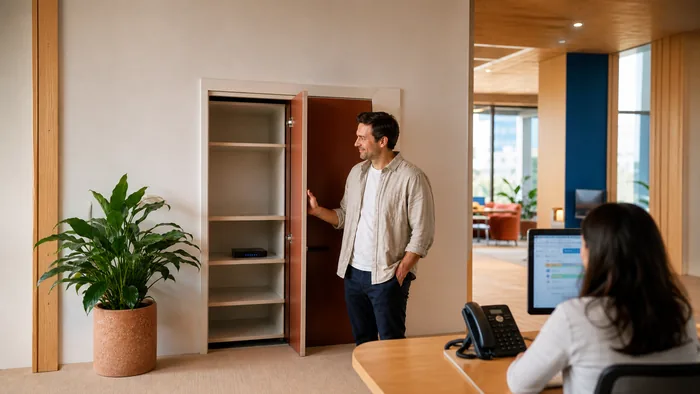
A PBX is the thing that decides what happens when somebody rings your business. Which phones ring, in what order, what a caller hears, where the call goes at five o'clock.
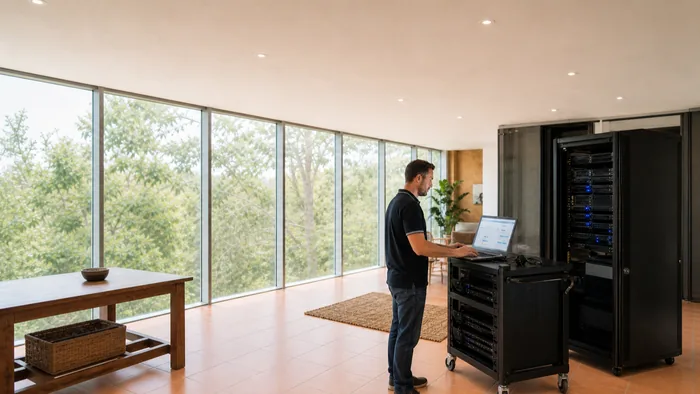
A hosted PBX does all of that from a data centre instead of from a box in your comms cupboard. This page covers what changes when it moves, and how to work out which one you want.
Are PBX systems still used?
Yes, and more than ever. What changed is where the PBX lives, not whether you need one.
The confusion comes from the word. People hear PBX and picture a beige box on a wall with a bundle of cables coming out of it, and that picture is genuinely disappearing. The function it performed did not disappear with it. Something still has to answer, route, queue, transfer and record, and that something is still called a PBX.
So the real question is never whether you need a PBX. It is where it should run.
A system in your cupboard
A system that is not
| What changes | A system in your cupboard | A hosted system |
|---|---|---|
| Where the exchange sits | A system in your cupboardA box in your comms cupboard, on your power and your rack space. | A hosted systemIn a data centre, on someone else's power and cooling. |
| When the power goes out | A system in your cupboardThe box stops. Calls stop with it unless it is on a UPS. | A hosted systemThe exchange keeps running. Your handsets are the part that needs power. |
| Adding a person | A system in your cupboardLicences, sometimes a card in the box, sometimes a site visit. | A hosted systemAn extension is created and a handset is posted out. |
| Working somewhere else | A system in your cupboardA VPN back to the office, or a diverted mobile. | A hosted systemThe handset or the app registers from wherever it has internet. |
| Who maintains it | A system in your cupboardYou own the hardware, so you own the failure and the upgrade. | A hosted systemThe platform is maintained for you. You own the configuration. |
Hosted or on premise, and how to choose
A hosted PBX runs in a data centre. You have handsets, a network connection and nothing else on site. Updates, backups, hardware failure and capacity are somebody else's problem.
An on premise PBX is a physical server in your building. You own it outright, it keeps working if your internet drops, and everything about it is yours to maintain.
The honest split, and it is not the one most suppliers give you:
- Hosted suits most small and medium businesses, and particularly anybody with more than one site, staff who work from home, or no IT person. There is no capital cost and no equipment to age.
- On premise still earns its place where a site has poor or expensive internet, where a large number of extensions makes the monthly cost add up, or where a specific compliance requirement means the system has to be in the building.
- You can have both. A system on site that connects out for calls is a perfectly reasonable answer.
There is more detail in our write up on hosted PBX against on premise.
Cloud PBX, hosted PBX and VoIP, which is which
Three terms for overlapping things, used loosely by everybody including us.
VoIP is the underlying technology, calls carried as data rather than over a phone line. A PBX is the system that routes those calls. Hosted or cloud describes where that system runs.
So a hosted PBX is a VoIP system. A VoIP system is not necessarily a hosted PBX, because it might be running on a server in your building. If somebody uses the three interchangeably at you, they are not wrong exactly, but it is worth asking which one they mean.
Business VoIP systems covers the technology side, including what happens in a power cut and how numbers move.
Working from anywhere, properly
This is the part that has actually changed how businesses use a phone system, and it is the strongest reason to go hosted.
The same extension works on a desk phone in the office, an app on a mobile, and a browser tab on a laptop at home. Not a diverted call, and not a personal mobile number the customer now has. The same extension, so a transfer works, the call log is one list, and somebody working from home is on the phone system rather than beside it.
From a browser, with nothing to install, staff can make and take calls, transfer, hold and mute, set their own forwarding rules and ring strategy, listen to voicemail and work through call history and recordings.
The practical effect is that where somebody is sitting stops being a phone system question.
What it does that an older system does not
The feature list on any modern system is long. These are the ones businesses actually notice.
- Auto attendant. An automated greeting that sends the caller where they want to go. Press one for sales, two for accounts.
- Call queues. Callers wait in order for the next available person rather than getting a busy tone or voicemail.
- Ring strategies. Everybody at once, in a set order, or the person who has been idle longest.
- Voicemail to email. The message arrives in the inbox as an attachment, so it gets actioned rather than sitting in a mailbox nobody checks.
- Call forwarding rules. Different behaviour after hours, on public holidays, or when somebody is away.
- Call recording. Available on demand or always on, with the caveat that recording law in Australia has requirements and we will tell you what they are.
- Conferencing. Audio or video, without a separate service.
- Call reporting. How many calls, when, how long, how many went unanswered. Most businesses have never had this and it is usually the thing that changes a decision.
Connecting it to your CRM
If your team already lives in a CRM, joining the two is worth doing. The customer's record opens as the phone rings, calls log themselves against the right contact, and dialling happens from the record rather than from a keypad.
Yeastar connects to most CRMs in much the same way, so the work is largely the same whichever one you use. Tell us what you run and we will tell you what it involves.
Where it is hosted, and who can see your data
Our hosted platform runs on infrastructure in Australia, which matters more to some businesses than others. If you handle health records, legal files or anything with a data residency obligation attached, it is a question worth asking every supplier you talk to, and worth getting the answer in writing.
It is also worth asking what happens to call recordings, how long they are kept and who can retrieve them, because that is the part that tends to be assumed rather than agreed.
What sits on the desk
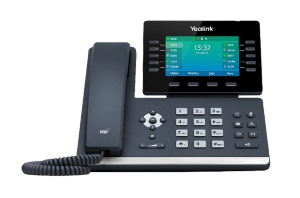
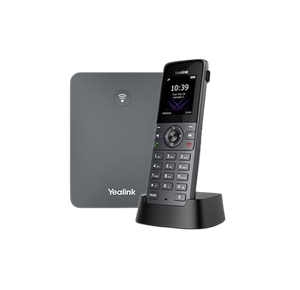
The exchange moves to a data centre, the handsets do not change. A desk phone, a cordless and a conference unit, all excluding GST.
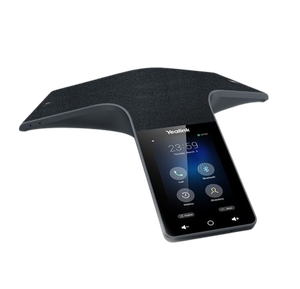
What you need in the building
Less than people expect. A hosted PBX needs a decent internet connection, a network that treats voice properly, and handsets.
The connection matters more than the plan headline suggests, and upload speed matters as much as download. What breaks calls is almost never the phone system and almost always the network inside the building. NBN phone systems covers that in detail, including how much speed a call actually needs.
If you need handsets, Yealink phones covers which model suits which job, and DECT and cordless covers anybody who is not sitting at a desk.
Keeping the system you already have
A gateway can connect an existing PABX to a modern network, but it is not what we recommend. We recommend replacing an old system with new desk phones or softphones, and we install both. A softphone is a phone app on your computer or mobile.
There is more on NBN phone systems, which covers the gateway question in full.

What it costs
Hosted systems are charged monthly, usually per extension, and there is no equipment to buy beyond the handsets. That is the main commercial difference: an ongoing cost instead of a capital one.
Handset prices are on each product page. We do not take orders through this website. Tell us how many people and how many calls at once, and we will quote it with the handsets, the monthly service and any installation priced separately rather than rolled into one number.
Getting a straight answer
We are highly trained across the equipment we supply and we have been installing phone systems in Australia for years, on site as well as remotely.
The most useful thing we do is tell people when they do not need what they came to ask about.
If you already have a hosted system and something is not working, that is support, and none of it is gated.
Tell us what you have and what you need it to do. Call 1300 865 879, or send us the details and we will come back to you.
Common questions
- What is a hosted PBX?
- A phone system that runs in a data centre rather than on a box in your building. You have handsets and an internet connection, and the routing, voicemail, queues and everything else happen remotely.
- Are PBX systems still used?
- Yes. What changed is where the PBX runs, not whether you need one. Something still has to decide which phone rings and what happens after hours, and that is still a PBX.
- What is the difference between cloud PBX, hosted PBX and VoIP?
- VoIP is the technology that carries the call. A PBX is the system that routes it. Hosted and cloud both mean the PBX runs somewhere else rather than in your building. A hosted PBX is a VoIP system, but a VoIP system might be on premise.
- Is hosted cheaper than a system in my building?
- Usually, and not always. Hosted has no capital cost and no equipment to maintain, which suits most small and medium businesses. A large number of extensions, or a site with poor internet, can make an on premise system the better commercial answer.
- Can staff working from home use the same phone system?
- Yes. The same extension works on a desk phone, a mobile app and a browser, so transfers, call logs and the directory all behave as though everybody is in one office.
- What happens if my internet goes down?
- Calls can be set to divert automatically, usually to a mobile, so you keep answering. That is a setting worth agreeing when the system is installed rather than discovering later.
- Where is my data stored?
- Our hosted platform runs on infrastructure in Australia. If you have a data residency obligation, ask every supplier you talk to and get the answer in writing rather than verbally.
- Can I connect it to my CRM?
- Usually yes. Most CRMs connect in much the same way, so tell us what you run and we will tell you what is involved.
- Can I keep my existing phone system?
- Yes, a gateway can connect an existing PABX to a modern network. It is not what we recommend, though. We recommend replacing an old system with new desk phones or softphones, and we install both.