
The archive
Everything we know about business phones
304 articles, grouped by what you are trying to work out. Search them, or pick a subject below.

Security and fraud
Keeping a phone system, and the bill attached to it, out of the wrong hands.
38 articles Security and fraud5 Red Flags That Your VoIP System Might Be VulnerableRead the article
 Security and fraud7 VoIP Security Risks Most Businesses IgnoreRead the article
 Security and fraudAI Call Summaries: Convenience or Compliance Risk?Read the article
 Security and fraudAre Free VoIP Services Putting Your Business at Risk?Read the article
 Security and fraudBuilding a VoIP Disaster Recovery Plan: Communication During a CrisisRead the article
 Security and fraudCall Logs, Compliance & Audits: What Your VoIP System Should TrackRead the article
 Security and fraudCybersecurity for VoIP: Separating Vendor Hype from Real ProtectionRead the article
 Security and fraudHow Call Recording Impacts Privacy Laws in Australian BusinessesRead the article
 Security and fraudHow Hackers Target Business VoIP Systems (and How to Block Them)Read the article
 Security and fraudHow Hackers Target VoIP Systems and How to Prevent ItRead the article
 Security and fraudHow Law Firms Are Enhancing Client Calls with Secure VoIP SystemsRead the article
 Security and fraudHow Multi-Factor Authentication Enhances VoIP SecurityRead the article
- Security and fraudHow Regular Updates Keep Your VoIP System Secure Without Extra CostsRead the article
- Security and fraudHow Secure Are VoIP Phone Systems Really? Myths vs RealityRead the article
- Security and fraudHow Secure Is Your VoIP Admin Portal? What to Check TodayRead the article
- Security and fraudHow Voice Biometrics Could Change VoIP Security in the Next Few YearsRead the article
- Security and fraudHow to Run a Basic VoIP Security Audit Without Needing a SpecialistRead the article
- Security and fraudHow to Secure Your VoIP Network Against DDoS and Toll FraudRead the article
- Security and fraudIs VoIP Secure? Key Threats and How to Protect Your BusinessRead the article
- Security and fraudKeeping VoIP Secure When Your Team Is Fully RemoteRead the article
- Security and fraudPreparing Your VoIP Network for Cyber Threats in 2026 and BeyondRead the article
- Security and fraudThe Link Between VoIP Downtime and Cybersecurity GapsRead the article
- Security and fraudThe Role of Encryption in Preventing Eavesdropping on VoIP CallsRead the article
- Security and fraudThe Role of End-to-End Encryption in Modern Business VoIPRead the article
- Security and fraudUnderstanding Call Encryption in VoIP: What It Does (and Doesn’t) ProtectRead the article
- Security and fraudVoIP Firewall Basics: How to Build a More Secure Call NetworkRead the article
- Security and fraudVoIP Fraud: How Scammers Target Businesses and How to Stop ThemRead the article
- Security and fraudVoIP Security Basics: What Every Business Owner Should Know in 10 MinutesRead the article
- Security and fraudVoIP Traffic Monitoring: Spotting Risks Before They HitRead the article
- Security and fraudVoIP and Cyber Insurance: Are You Covered for Voice-Based Threats?Read the article
- Security and fraudVoIP and Data Privacy: What Australian Businesses Need to Know About ComplianceRead the article
- Security and fraudVoIP and Phishing: How Criminals Use Calls to Trick Your TeamRead the article
- Security and fraudVoIP in a Post-ISDN World: What Security Looks Like in 2025Read the article
- Security and fraudWhat Australian Businesses Should Know About VoIP Encryption StandardsRead the article
- Security and fraudWhat Cyber Threats Are Targeting VoIP in 2025?Read the article
- Security and fraudWhat Happens to Your VoIP System During a Power Outage? Backup Strategies ExplainedRead the article
- Security and fraudWhy VoIP Needs Regular Backups Just Like Email and FilesRead the article
- Security and fraudZero Trust and VoIP: What It Means for Voice SecurityRead the article

Handsets and hardware
Desk phones, cordless handsets and the kit that sits behind them.
18 articles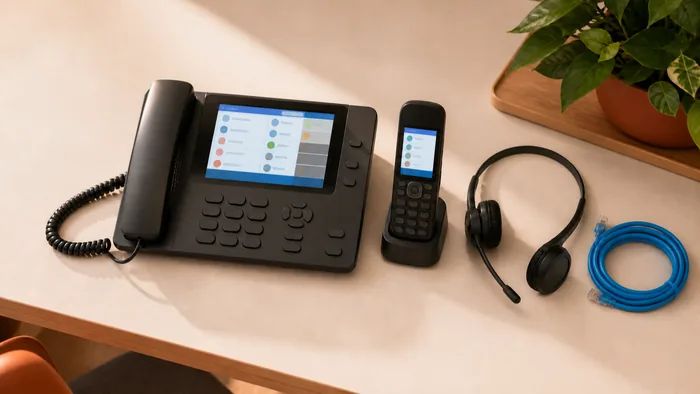 Handsets and hardware5 Benefits of Installing Yealink Phones in Your OfficeRead the article
 Handsets and hardwareA Guide to Onsite Yealink Phone Installation and Setup ServicesRead the article
 Handsets and hardwareA Review of the Yealink T53W Business PhoneRead the article
 Handsets and hardwareA Review of the Yealink T57W and Its BenefitsRead the article
 Handsets and hardwareCan You Use VoIP With Your Existing Handsets? Here’s What You Need to KnowRead the article
 Handsets and hardwareChoosing Between VoIP Apps and Desk Phones: What Works Best for Your OfficeRead the article
 Handsets and hardwareChoosing the Right Headsets for Your VoIP SetupRead the article
 Handsets and hardwareHosted VoIP for Small Teams: When “Less Hardware” Means “Less Hassle”Read the article
 Handsets and hardwareHow VoIP Fits Into a BYOD (Bring Your Own Device) OfficeRead the article
 Handsets and hardwareProfessional Yealink SupportRead the article
 Handsets and hardwareReview of the Yealink W73P DECT Cordless PhoneRead the article
 Handsets and hardwareShould You Lease or Buy VoIP Equipment? Pros and PitfallsRead the article
- Handsets and hardwareThe Benefits of Ongoing Yealink SupportRead the article
- Handsets and hardwareVoIP Hardware: What You Really Need (and What You Don’t)Read the article
- Handsets and hardwareVoIP and BYOD: Save on Hardware Without Sacrificing FunctionalityRead the article
- Handsets and hardwareWhen VoIP Meets IoT: What Happens When Devices Start Talking Too?Read the article
- Handsets and hardwareWhy More Australian Businesses Are Ditching Handsets for SoftphonesRead the article
- Handsets and hardwareYealink T54W ReviewRead the article

Networks and call quality
NBN, bandwidth and the reasons a call sounds bad.
19 articles Networks and call qualityCloud Voice Failover: How to Keep Communications Running During OutagesRead the article
 Networks and call qualityCommon VoIP Configuration Mistakes That Break Call QualityRead the article
 Networks and call qualityHow Cloud VoIP Reduces Downtime During Office RelocationsRead the article
 Networks and call qualityHow to Evaluate Call Quality When Choosing a VoIP SystemRead the article
 Networks and call qualityHow to Migrate from a Legacy Phone System to VoIP Without DowntimeRead the article
 Networks and call qualityHow to Tell If Your Internet Connection Can Handle VoIP Without IssuesRead the article
 Networks and call qualityPrepping for VoIP: What to Review in Your Network Setup FirstRead the article
 Networks and call qualityReducing Missed Connections: VoIP’s Role in Better Lead ResponseRead the article
 Networks and call qualityShould You Bundle VoIP With Internet Services? Pros and Cons ExplainedRead the article
 Networks and call qualitySmall business phone systems on the NBN: VoIP or traditional?Read the article
 Networks and call qualityThe Complete Guide to NBN Phone Systems for Australian BusinessesRead the article
 Networks and call qualityUnderstanding VoIP Latency: Why Call Quality Isn’t Always EqualRead the article
- Networks and call qualityVoIP Made Simple: Explaining Internet Calling in Plain EnglishRead the article
- Networks and call qualityVoIP Testing and Troubleshooting: Best Practices for a Smooth LaunchRead the article
- Networks and call qualityVoIP and the NBN: What You Need to Know for Reliable PerformanceRead the article
- Networks and call qualityVoice Quality Troubleshooting: Quick Fixes Anyone Can DoRead the article
- Networks and call qualityWhat Internet Speed Do You Really Need for VoIP?Read the article
- Networks and call qualityWhy Internet Stability Matters More Than You Think for VoIP CallsRead the article
- Networks and call qualityWhy Voice Traffic Should Be on a Separate VLAN (and How to Do It)Read the article

Hosted PBX and cloud
What actually runs your phone system, and where it lives.
17 articles Hosted PBX and cloudBreaking Down Hosted VoIP: What It Is and Why It's Gaining GroundRead the article
 Hosted PBX and cloudCall Data and Cloud Storage: Who Really Owns Your VoIP Records?Read the article
 Hosted PBX and cloudCloud PBX vs On-Premise PBX: Pros, Cons, and Cost ComparisonRead the article
 Hosted PBX and cloudCloud PBX vs. Traditional Phone Systems: Which One Suits Your Business Best?Read the article
 Hosted PBX and cloudCloud Phone Systems Explained for Small Business OwnersRead the article
 Hosted PBX and cloudCloud Phone Systems vs Traditional PBX: What Actually Matters in 2026Read the article
 Hosted PBX and cloudHosted PBX vs On-Premise PBX: Which Phone System Is Better for Your Business?Read the article
 Hosted PBX and cloudHosted vs On-Premises VoIP: Which Setup Gives You More Control?Read the article
 Hosted PBX and cloudHow to Build Redundancy Into Your VoIP System Without OverspendingRead the article
 Hosted PBX and cloudPBX, UCaaS, or Just VoIP? What Type of Phone Setup Fits Your Business ModelRead the article
 Hosted PBX and cloudThe Evolution of Business Phones: From Landlines to Cloud VoIPRead the article
 Hosted PBX and cloudUnderstanding SIP Trunks: A Beginner-Friendly BreakdownRead the article
- Hosted PBX and cloudVoIP vs PBX: Which Phone System Should You Choose?Read the article
- Hosted PBX and cloudVoIP vs SIP: What’s the Difference and Why It Matters for Your BusinessRead the article
- Hosted PBX and cloudVoice Data and the Cloud: What Australian Companies Should Watch Out ForRead the article
- Hosted PBX and cloudWhat Happens Behind the Scenes When You Make a VoIP Call?Read the article
- Hosted PBX and cloudWhat Is SIP Trunking and How Does It Work in Australia?Read the article

Costs and pricing
What a phone system costs, and where the money quietly goes.
38 articles Costs and pricingBeyond Cheap Calls: How VoIP Improves Staff Efficiency DailyRead the article
 Costs and pricingCan VoIP Replace Multiple Software Subscriptions? A Cost ReviewRead the article
 Costs and pricingCan VoIP Replace Your Call Centre? A Cost ComparisonRead the article
 Costs and pricingCost-Cutting Through Consolidation: One System, Many TasksRead the article
 Costs and pricingCutting Costs Without Cutting Corners: Budget-Friendly VoIP StrategiesRead the article
 Costs and pricingFrom Freelancers to Large Teams: VoIP That Scales Without Surprise CostsRead the article
 Costs and pricingHow Call Tracking Through VoIP Helps Marketing Agencies Prove ROIRead the article
 Costs and pricingHow Much Does a Small Business Phone System Cost in Australia?Read the article
 Costs and pricingHow Much Does a VoIP Phone System Cost in Australia? Full BreakdownRead the article
 Costs and pricingHow Seasonal Businesses Use VoIP to Cut Costs During Off-Peak MonthsRead the article
 Costs and pricingHow VoIP Can Cut Your Business Phone Bill in HalfRead the article
 Costs and pricingHow VoIP Can Lower International Call Costs for Australian CompaniesRead the article
- Costs and pricingHow VoIP Cuts More Than Phone Costs: Time, Tools, and TrainingRead the article
- Costs and pricingHow VoIP Helps Australian Businesses Cut Phone Costs Without Sacrificing QualityRead the article
- Costs and pricingHow VoIP Helps Small Businesses Save MoneyRead the article
- Costs and pricingMaximising ROI with VoIP: Real Use Cases from Local BusinessesRead the article
- Costs and pricingReducing After-Hours Costs with Smarter Call Routing in VoIPRead the article
- Costs and pricingReducing Call Costs Across Multiple Office Locations with VoIPRead the article
- Costs and pricingScaling Your Team? Here’s How VoIP Keeps Costs Under ControlRead the article
- Costs and pricingSmarter Scheduling with VoIP: How Auto-Attendants Save Time and HassleRead the article
- Costs and pricingThe Cost Impact of VoIP on Growing Businesses With 20+ StaffRead the article
- Costs and pricingThe Hidden Costs of Traditional Phone Systems (and How VoIP Eliminates Them)Read the article
- Costs and pricingThe Long-Term Savings of VoIP: Beyond the First YearRead the article
- Costs and pricingThe Overlooked Budget Benefits of Switching to VoIP in Year TwoRead the article
- Costs and pricingThe True Cost of Missed Calls: How VoIP Helps You Capture Every LeadRead the article
- Costs and pricingTime Tracking, Call Logging, and Other VoIP Features That Save Payroll HoursRead the article
- Costs and pricingTime-Saving VoIP Features That Help Your Staff Work SmarterRead the article
- Costs and pricingUsing VoIP to Automate Low-Value Admin Tasks and Free Up Your StaffRead the article
- Costs and pricingVoIP ROI Explained: How to Measure Real Business Savings From Switching SystemsRead the article
- Costs and pricingVoIP for Healthcare: Improving Patient Communications Without Breaking the BudgetRead the article
- Costs and pricingVoIP for Non-Profits: Cutting Costs Without Cutting CapabilityRead the article
- Costs and pricingVoIP for Startups: Affordable and Scalable Communication Tools That Grow With YouRead the article
- Costs and pricingVoIP vs Traditional Phone Lines: A Cost Comparison for Australian BusinessesRead the article
- Costs and pricingWhat Happens to Your Costs When You Add 10 New Staff to VoIP?Read the article
- Costs and pricingWhat to Ask Before Signing a VoIP Contract: A Buyer’s GuideRead the article
- Costs and pricingWhy Missed Calls Cost More Than You Think (and How VoIP Fixes It)Read the article
- Costs and pricingWhy Multi-Site Businesses Save More with VoIP Than Single OfficesRead the article
- Costs and pricingWhy VoIP Isn't Just Cheaper. It's Smarter for WorkflowRead the article

Setting up and switching
Choosing, moving and getting a new system working on day one.
32 articles Setting up and switchingA Beginner’s Walkthrough: Setting Up VoIP Without an IT BackgroundRead the article
 Setting up and switchingChoosing a VoIP Solution When You’re Not Tech-SavvyRead the article
 Setting up and switchingCommon Mistakes When Choosing a Business Phone SystemRead the article
 Setting up and switchingCommon Mistakes to Avoid When Switching to VoIP in AustraliaRead the article
 Setting up and switchingComparing VoIP Plans: How to Spot Hidden Fees Before You SignRead the article
 Setting up and switchingCompliant by Default: Choosing a VoIP System That Keeps Up With RegsRead the article
 Setting up and switchingFrom Landlines to VoIP: The Financial Case for Making the Switch in 2025Read the article
 Setting up and switchingHow to Choose the Right Small Business Phone SystemRead the article
 Setting up and switchingHow to Choose the Right VoIP Phone System for Your Business in AustraliaRead the article
 Setting up and switchingHow to Choose the Right VoIP Provider in Australia: A 2025 ChecklistRead the article
 Setting up and switchingHow to Migrate VoIP Across Multiple Locations Without Confusing Your StaffRead the article
 Setting up and switchingHow to Set Up a Multi-Location Phone System Using VoIPRead the article
- Setting up and switchingHow to Set Up a VoIP Phone System Step-by-Step (Beginner Guide)Read the article
- Setting up and switchingHow to Set Up a VoIP Phone System for Your Small BusinessRead the article
- Setting up and switchingMaking the Switch to VoIP: What Business Owners Often OverlookRead the article
- Setting up and switchingRegulatory Shifts in 2025: What They Could Mean for Your VoIP SetupRead the article
- Setting up and switchingStep-by-Step Guide to Choosing the Right VoIP Plan for Your Business SizeRead the article
- Setting up and switchingSwitching Providers? What to Back Up Before Your VoIP Port-OutRead the article
- Setting up and switchingThe Beginner’s Map to Setting Up VoIP in a New OfficeRead the article
- Setting up and switchingThe Hidden Operational Benefits of Moving to VoIPRead the article
- Setting up and switchingThe Lifecycle of a Business VoIP System: From Setup to ScalingRead the article
- Setting up and switchingUpgrading from ISDN to VoIP in Australia: What You Need to KnowRead the article
- Setting up and switchingVoIP Checklist: What to Test Before You Fully Switch OverRead the article
- Setting up and switchingVoIP Migration Guide: How to Transition Smoothly from Your Old Phone SystemRead the article
- Setting up and switchingVoIP Setup Delays: What Causes Them and How to Avoid the WaitRead the article
- Setting up and switchingWhat Happens During a VoIP Installation (From Signup to Go-Live)Read the article
- Setting up and switchingWhat Your IT Team Wishes You Knew Before Choosing a VoIP SystemRead the article
- Setting up and switchingWhy Hospitality Businesses Choose VoIP for Reservation ManagementRead the article
- Setting up and switchingWhy Most Small Businesses Fail Their First VoIP Setup (And How to Avoid It)Read the article
- Setting up and switchingWhy Non-Profits Switch to VoIP to Stretch Tight Budgets FurtherRead the article
- Setting up and switchingWhy Small Accounting Firms Are Quietly Switching to VoIPRead the article
- Setting up and switchingWhy Small Businesses in Australia Are Switching from Landlines to VoIPRead the article

Remote and hybrid teams
Phones that follow the work rather than the desk.
13 articles Remote and hybrid teamsBest Phone System for Remote Teams and Hybrid WorkRead the article
 Remote and hybrid teamsBoosting Remote Team Productivity with VoIP & Unified CommunicationsRead the article
 Remote and hybrid teamsHow Travel Agencies Use VoIP to Handle High-Volume Booking CallsRead the article
 Remote and hybrid teamsHow VoIP Empowers Hybrid Workforces. Real-World Use CasesRead the article
 Remote and hybrid teamsHow VoIP Makes Flexible Working Hours Easier to ManageRead the article
 Remote and hybrid teamsHow VoIP Supports Remote Teams and Work-from-Anywhere BusinessesRead the article
 Remote and hybrid teamsThinking Global? How VoIP Simplifies International and Remote CommunicationRead the article
 Remote and hybrid teamsTour Operators & Travel Agents: Using VoIP to Manage Enquiries on the GoRead the article
 Remote and hybrid teamsVoIP for Hybrid Work: Reducing Overhead While Keeping Teams ConnectedRead the article
 Remote and hybrid teamsVoIP for Remote Teams: How to Keep Your Staff Connected from AnywhereRead the article
 Remote and hybrid teamsVoIP for Tradies and On-the-Go Businesses: What Actually WorksRead the article
 Remote and hybrid teamsVoIP vs Mobile Phones for Business: What’s Better?Read the article
- Remote and hybrid teamsWhy Real Estate Teams Prefer VoIP Over Mobile Numbers for ListingsRead the article

Your industry
How particular trades and professions actually use their phones.
25 articles Your industryHow Accountants Use VoIP to Handle Client Queries in Peak SeasonRead the article
 Your industryHow Accountants Use VoIP to Stay Connected During Tax SeasonRead the article
 Your industryHow Healthcare Clinics Use VoIP to Improve Patient Call HandlingRead the article
 Your industryHow Veterinary Clinics Use VoIP to Manage Bookings and EmergenciesRead the article
 Your industryHow Veterinary Practices Are Using VoIP to Handle Emergencies BetterRead the article
 Your industryHow VoIP Helps Creative Studios Handle Clients Without a ReceptionistRead the article
 Your industryHow VoIP Supports Fast-Paced Communication in Creative AgenciesRead the article
 Your industryIs VoIP Right for Your Industry? How to Match Features with Your Business NeedsRead the article
 Your industryStaying Compliant When Recording Calls: VoIP Tips for Regulated IndustriesRead the article
 Your industryThe Benefits of VoIP for Law Firms Handling Sensitive ConversationsRead the article
 Your industryVoIP for Allied Health: Improving Clinic Calls Without Complex SystemsRead the article
 Your industryVoIP for Construction Teams: Staying Connected On and Off SiteRead the article
- Your industryVoIP for Gyms and Studios: Handling Membership Queries on the GoRead the article
- Your industryVoIP for Hotels: Improving Guest Services with Smarter Phone FeaturesRead the article
- Your industryVoIP for Legal Support Staff: Reducing Call Bottlenecks in Busy PracticesRead the article
- Your industryVoIP for Real Estate Investors: Staying Reachable Without a Fixed OfficeRead the article
- Your industryVoIP for Recruitment Agencies: Handling High Call Volumes with Less HassleRead the article
- Your industryVoIP for Retail Chains: Managing Multiple Storefronts With One NumberRead the article
- Your industryVoIP in Franchises: Giving Branches Autonomy While Staying ConnectedRead the article
- Your industryVoIP in Retail: Managing Storefront, Online, and Warehouse Calls with One SystemRead the article
- Your industryVoIP in the Fitness Industry: Managing Bookings and Member Calls with EaseRead the article
- Your industryVoIP vs Traditional Conferencing Tools: Which Saves More in the Long Run?Read the article
- Your industryVoIP vs Traditional Phone Systems: Which One Is Right for Your Business in 2026Read the article
- Your industryWhy Hospitality Venues Use VoIP to Juggle Bookings and SuppliersRead the article
- Your industryWhy VoIP Is a Game-Changer for Real Estate Agencies in AustraliaRead the article

Customers and call handling
Missed calls, queues, greetings and the callers on the other end.
20 articles Customers and call handlingAI in VoIP: How Smart Routing Is Changing Customer ExperienceRead the article
 Customers and call handlingDo You Need an IT Team to Implement VoIP? Here’s the Real AnswerRead the article
 Customers and call handlingHow Australian SMEs Use VoIP to Streamline Customer SupportRead the article
 Customers and call handlingHow Auto Attendants and IVR Systems Improve Customer ExperienceRead the article
 Customers and call handlingHow Call Queues and IVR Systems Reduce Staff Workload in Busy TeamsRead the article
 Customers and call handlingHow Membership-Based Businesses Use VoIP to Support Their ClientsRead the article
 Customers and call handlingHow Small Marketing Teams Use VoIP to Stay Nimble and Client-FocusedRead the article
 Customers and call handlingHow VoIP Improves Customer Service and Response TimesRead the article
 Customers and call handlingHow to Reduce Missed Calls Using VoIP AutomationRead the article
 Customers and call handlingHow to Stop Missing Customer Calls in Your BusinessRead the article
 Customers and call handlingMissed Calls, Missed Money: How VoIP Helps You Capture Every OpportunityRead the article
 Customers and call handlingThe Real Impact of Call Routing on Customer ExperienceRead the article
- Customers and call handlingThe Role of AI in Modern VoIP Systems: Smarter, Faster Customer InteractionsRead the article
- Customers and call handlingVoIP Auto-Attendants: The Virtual Receptionist That Pays for ItselfRead the article
- Customers and call handlingVoIP for Customer Support Teams: Faster Responses, Better ExperienceRead the article
- Customers and call handlingVoIP for Event Planners: Coordinating Staff, Suppliers, and Clients in Real-TimeRead the article
- Customers and call handlingVoIP in Professional Services: Better Client Contact Without the Office OverheadRead the article
- Customers and call handlingVoIP in Tourism: Helping Operators Manage Bookings Across Time ZonesRead the article
- Customers and call handlingWhy Financial Advisors Are Turning to VoIP for Client CommunicationsRead the article
- Customers and call handlingWhy Your Small Business Is Losing Leads Due to Missed CallsRead the article

Features and tools
What a modern system can do once it is set up properly.
17 articles Features and tools10 Features Every Small Business Phone System Must HaveRead the article
 Features and tools10 Must-Have Features Every Modern Business Phone System Should IncludeRead the article
 Features and tools5 Productivity Features in VoIP You’re Probably Not UsingRead the article
 Features and toolsBest VoIP Features for Small Businesses That Actually Drive RevenueRead the article
 Features and toolsCall recording on a business phone system: what to checkRead the article
 Features and toolsCut the Clutter: How VoIP Replaces Multiple Tools with One SystemRead the article
 Features and toolsFrom Daily Calls to Monthly Reports: VoIP Tools That Improve AccountabilityRead the article
 Features and toolsHow VoIP Integrates with CRM and Why It Matters for Sales TeamsRead the article
 Features and toolsHow VoIP Lets You Do More with Fewer ToolsRead the article
 Features and toolsHow to Match VoIP Features to Business Roles (Not Just Teams)Read the article
 Features and toolsSmart Call Routing and AI: Is Your Phone System Keeping Up?Read the article
 Features and toolsThe Business Owner’s Shortcut to Understanding VoIP FeaturesRead the article
- Features and toolsThe Future of Business Phones: AI-Enhanced VoIP Features to ExpectRead the article
- Features and toolsThe Ripple Effect of Better Call Routing on Team ProductivityRead the article
- Features and toolsTop 7 Features to Look for in a Business VoIP SystemRead the article
- Features and toolsVoIP Integration with CRM: Why It’s a Game Changer for BusinessesRead the article
- Features and toolsWhat Your VoIP Provider Should Offer Beyond Basic Call FeaturesRead the article

Reporting and productivity
Knowing what your phones are doing, and what to change.
11 articles Reporting and productivityAustralian Data Retention Rules and Your VoIP Call RecordsRead the article
 Reporting and productivityHow Call Analytics in VoIP Translate Into Smarter Business DecisionsRead the article
 Reporting and productivityHow VoIP Analytics Help You Spot Inefficiencies in Real TimeRead the article
 Reporting and productivityHow VoIP Helps Australian Businesses Manage Seasonal Staff More EfficientlyRead the article
 Reporting and productivityHow VoIP Improves Sales Team Performance and Lead ConversionRead the article
 Reporting and productivityHow VoIP Providers Handle Data Storage in Australia vs OverseasRead the article
 Reporting and productivityHow to Use VoIP Analytics to Improve Team EfficiencyRead the article
 Reporting and productivityReducing Staff Burnout With Smarter Call ManagementRead the article
 Reporting and productivityThe Real-Time Productivity Boosts You Can Expect From VoIPRead the article
 Reporting and productivityVoIP Analytics Explained: How to Track and Improve Call PerformanceRead the article
 Reporting and productivityVoIP for Call Centres: How to Handle High Call Volumes EfficientlyRead the article

Teams and offices
Growing, training and equipping the people using the phones.
19 articles Teams and officesBest Phone System for Startups and Growing BusinessesRead the article
 Teams and officesBest Small Business Phone System in Australia (2026 Guide)Read the article
 Teams and officesDo You Need VoIP for a Small Team? Here's When It Makes SenseRead the article
 Teams and officesHow VoIP Fits Into a Modern IT Stack for Small BusinessRead the article
 Teams and officesHow VoIP Helps Teams Handle Peak-Season Call SurgesRead the article
 Teams and officesHow VoIP Helps You Scale Support Teams Without Scaling OverheadRead the article
 Teams and officesHow to Plan a VoIP Rollout in a Busy Office Without DisruptionRead the article
 Teams and officesIs VoIP Worth It for Small Businesses in Australia?Read the article
 Teams and officesThe Future of Small Business Phone Systems in AustraliaRead the article
 Teams and officesThe Pros and Cons of White-Label VoIP for Growing ProvidersRead the article
 Teams and officesThe VoIP Learning Curve: How Long It Really Takes for Staff to AdjustRead the article
 Teams and officesTraining Teams on VoIP: Simple Ways to Avoid User Frustration Early OnRead the article
- Teams and officesVoIP in Aged Care: Reliable, Low-Stress Communication for Staff and FamiliesRead the article
- Teams and officesVoIP in Education: Supporting Staff, Parents, and Students in One SystemRead the article
- Teams and officesVoIP in Government Offices: Improving Responsiveness Without Blowing BudgetsRead the article
- Teams and officesVoIP in Lean Teams: How Fewer People Can Handle More CallsRead the article
- Teams and officesWhat Is the Best Phone System for Small Business?Read the article
- Teams and officesWhy VoIP Is the Best Phone System for Small BusinessesRead the article
- Teams and officesWhy VoIP Works So Well for Australian E-Commerce TeamsRead the article

Business VoIP, generally
The broad questions that come up before any of the detail matters.
37 articles Business VoIP, generally5 Signs Your Business Has Outgrown Its Current Phone SystemRead the article
 Business VoIP, generally5 VoIP Questions You Didn’t Know to Ask (But Should)Read the article
 Business VoIP, generallyA Simple Guide to Business VoIP Plans: What to Look ForRead the article
 Business VoIP, generallyAre VoIP Phone Systems Reliable for Australian Businesses?Read the article
 Business VoIP, generallyBusiness Phone Systems: A Complete Guide for Modern BusinessesRead the article
 Business VoIP, generallyBusiness VoIP vs Residential VoIP: What’s the Actual Difference?Read the article
 Business VoIP, generallyEvaluating VoIP Trial Offers: What to Test Before You CommitRead the article
 Business VoIP, generallyFrom Chaos to Order: Using VoIP to Handle Call OverflowRead the article
 Business VoIP, generallyFuture of Business Communication: Why VoIP Is More Relevant Than Ever in 2025Read the article
 Business VoIP, generallyHow Local Councils Are Using VoIP to Improve Community ServicesRead the article
 Business VoIP, generallyHow Local Councils Use VoIP to Stay Accessible to CommunitiesRead the article
 Business VoIP, generallyHow Multi-Location Businesses Can Manage Calls with a Single VoIP SystemRead the article
- Business VoIP, generallyHow Regional Businesses Use VoIP to Bridge Geographic GapsRead the article
- Business VoIP, generallyIs Your Business Too Small for VoIP? (Spoiler: Probably Not)Read the article
- Business VoIP, generallyIs Your VoIP System a Backdoor? How to Audit Vendor AccessRead the article
- Business VoIP, generallyMarch 09th, 2026Read the article
- Business VoIP, generallyQuestions to Ask During a VoIP Demo (That Actually Matter)Read the article
- Business VoIP, generallyThe First 30 Days With a New VoIP System: What to Expect and How to PrepareRead the article
- Business VoIP, generallyThe Future of Business Communication: VoIP, AI, and AutomationRead the article
- Business VoIP, generallyThe Hidden Role of Firewalls in Protecting Your VoIP CallsRead the article
- Business VoIP, generallyThe Real Benefits of VoIP That Most First-Time Buyers MissRead the article
- Business VoIP, generallyThe Real Difference Between Business-Grade and Consumer VoIPRead the article
- Business VoIP, generallyTop 7 VoIP Problems Businesses Face (And How to Fix Them Fast)Read the article
- Business VoIP, generallyUnderstanding VoIP Call Plans: Pay-As-You-Go vs UnlimitedRead the article
- Business VoIP, generallyUnderstanding VoIP Jargon: A Plain-English Glossary for Business OwnersRead the article
- Business VoIP, generallyVoIP Trials: How to Test Drive a System Without Wasting TimeRead the article
- Business VoIP, generallyVoIP Without the Buzzwords: A No-Nonsense Guide for First-Time BuyersRead the article
- Business VoIP, generallyVoIP for Courier Services: Keeping Drivers and Dispatchers in SyncRead the article
- Business VoIP, generallyVoIP for Education Providers: Managing Admin and Parent Calls with EaseRead the article
- Business VoIP, generallyVoIP for Logistics Companies: Keeping Drivers and Dispatch in SyncRead the article
- Business VoIP, generallyVoIP for Logistics: Keeping Drivers and Dispatch Connected in Real TimeRead the article
- Business VoIP, generallyVoIP for Multi-Location Businesses: How to Stay Connected SeamlesslyRead the article
- Business VoIP, generallyWhat Businesses Get Wrong About ‘Unlimited’ VoIP PlansRead the article
- Business VoIP, generallyWhat Is VoIP and How Does It Work? A Beginner’s Guide for Australian BusinessesRead the article
- Business VoIP, generallyWhat Is a VoIP Phone System and How Does It Work?Read the article
- Business VoIP, generallyWhat Makes a VoIP System “Business-Ready”?Read the article
- Business VoIP, generallyWhy VoIP Makes Sense for Australian Startups in Coworking SpacesRead the article
Nothing matched that. Try a shorter word, or ask us directly.