
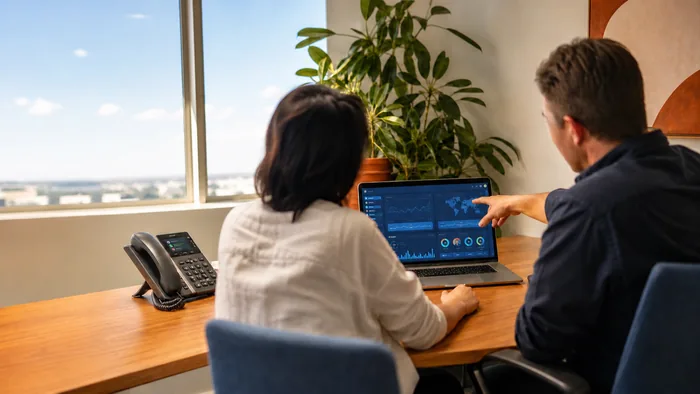
Voice over IP (VoIP) phone systems have become a go-to communication solution for Australian businesses, but with that convenience comes responsibility, especially when it comes to your admin portal. If your VoIP admin portal is left unprotected, it could expose sensitive business data, open the door to unauthorised call charges, or worse, lead to a full network compromise.
In this article, we’ll walk you through the common security pitfalls, what settings and features you should review today, and how to maintain a secure VoIP environment tailored to the Australian business landscape.
Understanding the VoIP Admin Portal
Your VoIP admin portal is the command centre of your phone system. It allows you to manage users, configure call flows, access billing records, and more. Depending on your provider, this portal may be accessed via a web interface, often hosted in the cloud.
Because it controls so much of your communication infrastructure, it’s a high-value target for cybercriminals. Insecure portals can be exploited to make expensive international calls, harvest contact data, or create backdoors into your broader IT environment.
Common Security Risks in VoIP Systems
VoIP systems are subject to the same cyber threats as other digital platforms, but with some specific vulnerabilities:
- Brute-force attacks on weak login credentials
- Unencrypted connections exposing data in transit
- Excessive admin privileges left unchecked
- Open ports that allow for remote exploitation
- Outdated firmware or software creating known vulnerabilities
A breach in your VoIP portal doesn’t just affect phones, it can disrupt operations, damage your reputation, and trigger compliance issues, especially if you’re in a regulated industry like finance or healthcare.
What to Check in Your Admin Portal Today
If you haven’t reviewed your portal settings recently, now’s the time. Here are the key areas you should focus on:
Password Policies
Ensure your system enforces strong password requirements, minimum length, complexity, and regular expiry. Avoid using default credentials or reusing passwords across platforms.
Example: An Adelaide-based accounting firm had staff using the same password for their email and VoIP system. A phishing breach in email exposed both platforms, leading to weeks of disruption.
Multi-Factor Authentication (MFA)
If your provider supports MFA, turn it on, especially for admin accounts. This simple step adds a vital layer of protection beyond passwords.
Tip: Use app-based authenticators like Microsoft Authenticator or Google Authenticator instead of SMS for added security.
Role-Based Access ControlsNot everyone needs full access. Set user roles carefully. Tech support teams might need access to settings, but receptionists don’t.
Example: A Perth dental practice restricted access to admin functions after a junior staff member accidentally rerouted all calls to voicemail over a weekend.
Remote Access Settings
Review who can access the portal remotely and from where. IP whitelisting or VPN requirements can limit exposure.
Tip: If you don’t need remote access, disable it entirely. If you do, only allow trusted IP ranges.
Call Routing Rules and MonitoringMonitor call patterns for irregularities like spikes in international calls or calls made outside of business hours. Set alerts where possible.
Example: A Brisbane legal office flagged a suspicious series of calls made to international numbers overnight, saving them thousands in potential charges.
Warning Signs of a Compromised SystemKeep an eye out for:
- Unusual call activity (e.g., volume spikes, unfamiliar numbers)
- Unexpected login attempts from foreign IPs
- Changes to call routing or voicemail settings
- Admin notifications that you didn’t initiate
If you notice any of these, act immediately: disable affected accounts, reset credentials, and contact your provider.
Best Practices for Ongoing VoIP Security
Security isn’t a one-time job. Here’s how to keep things secure over the long haul:
- Schedule regular audits of your admin portal and call logs
- Update software and firmware as soon as updates become available
- Train your team on secure VoIP usage and phishing awareness
- Use reputable providers that prioritise data protection and offer built-in security tools
- Backup your configurations, especially if you have complex call flows
For Australian businesses, especially those working remotely or managing distributed teams, cloud-based VoIP systems need to be part of your broader cybersecurity strategy.
Final Thoughts and Next Steps
Your VoIP admin portal might not be top of mind when thinking about cybersecurity, but it should be. A few simple checks today can prevent costly issues tomorrow.
If you're unsure about your current setup or need a hand reviewing your portal’s security, get in touch with us at VoIP System Australia. We help businesses across Australia stay connected, securely.