
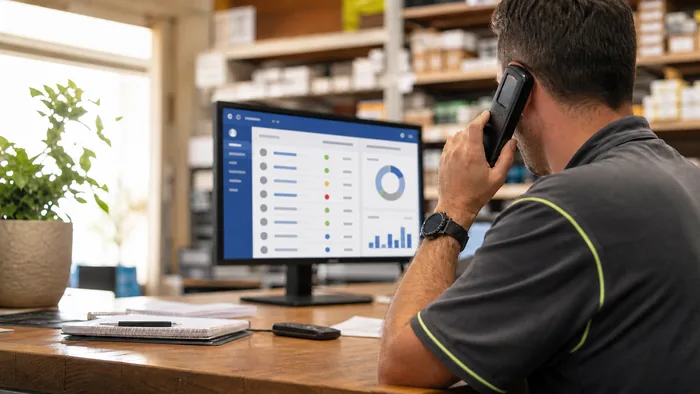
Managing inbound calls can quickly become chaotic, especially for growing businesses. Missed calls, long hold times, and manually transferring calls between departments can drain staff time and frustrate customers. That’s where VoIP auto-attendants step in. These smart, automated systems can handle incoming calls efficiently, direct customers to the right person or department, and free up your staff for more valuable tasks.
In this article, we’ll break down exactly how VoIP auto-attendants work, the benefits they bring to Australian businesses, and how to set them up in a way that actually helps not hinders your callers.
What Is a VoIP Auto-Attendant?
An auto-attendant is a virtual receptionist built into your VoIP phone system. When someone calls your business, it answers the call automatically, plays a professional greeting, and gives callers options, like “Press 1 for Sales, 2 for Support, or 3 for Accounts.”
Instead of routing every call through a live receptionist, the auto-attendant does the heavy lifting. It works 24/7, follows preset rules, and ensures every caller gets where they need to go without unnecessary delays.
VoIP-based auto-attendants are especially powerful because they can be updated easily, scaled across multiple locations, and integrated with mobile devices and cloud-based apps.
Key Benefits for Australian Businesses
⏱ Save Time for Staff : An auto-attendant means fewer call transfers and interruptions for your team. That’s especially helpful for small businesses where staff often juggle multiple roles.
Example: A Brisbane-based accounting firm with five employees used to have the office manager answer all calls. With an auto-attendant, clients now go straight to the right accountant based on their needs, saving hours every week.
📞 Reduce Missed Calls: During busy periods or outside business hours, auto-attendants can still capture and route calls. This ensures your business never sounds “closed,” even when staff are unavailable.
🤝 Improve Customer Experience: Customers appreciate fast, clear direction. A well-designed auto-attendant helps callers feel in control and confident they’re reaching the right person.
🇦🇺 Tailored to the Aussie Market: VoIP auto-attendants let you add a local flavour, custom greetings in Australian English, options for local offices, or regional-specific announcements during public holidays.
Real-World Examples: Auto-Attendants in Action
- Medical Practice in Melbourne: Set up different paths for urgent care, prescription refills, and new patient enquiries, reducing front-desk pressure during peak hours.
- Online Retailer in Perth: Routes returns, shipping, and sales enquiries to different teams, all working remotely across WA and NSW.
- Tradie Business in Newcastle: Uses a simple menu to filter general calls from urgent job requests, which get forwarded directly to on-call staff.
How to Configure an Effective Auto-Attendant
Setting up an auto-attendant isn’t just about plugging in a script. You need to think about your customers’ experience. Here’s what to focus on:
a. Start with a Clear, Friendly GreetingExample: “Thanks for calling Southern Coast Solar. Please listen to the following options so we can direct your call.”
b. Keep Menu Options Short and LogicalStick to 3 to 5 options max. Too many choices can overwhelm callers.
c. Prioritise Common Call ReasonsUse call tracking data to identify what people ask most. Make those options easy to reach.
d. Offer a Quick Exit to a Live PersonAlways include an option like “Press 0 to speak to reception”, not every caller wants to navigate menus.
e. Update RegularlyIf your team changes or you run seasonal promotions, adjust the auto-attendant message accordingly.
Common Mistakes to Avoid
- Overcomplicating the Menu: If callers have to press 6 different buttons just to leave a message, you’ve lost them.
- Using Generic Voice Prompts: A robotic American voice doesn’t help your brand feel local. Go for a warm, Australian voiceover.
- Not Testing the Call Flow: Always test your setup as if you were a customer. If it feels clunky or confusing, fix it.
When to Use Auto-Attendants vs. Live Receptionists
Auto-attendants are great for handling high-volume or repetitive calls, but they don’t completely replace the human touch. A good balance is to use an auto-attendant as a first filter, with the option to reach a live receptionist when needed.
Tip: For small teams, pairing an auto-attendant with a virtual receptionist service can keep things professional without hiring full-time staff.
Conclusion & Next Steps
Auto-attendants are one of the simplest ways to make your business phone system smarter. By routing calls efficiently, saving staff time, and improving customer satisfaction, they add real value to everyday operations.
If your current phone setup isn’t keeping up, it might be time to upgrade. At VoIP-System.com.au, we help Australian businesses build flexible, cloud-based phone systems that grow with them.
Get in touch today to learn how we can help you set up an auto-attendant that works for your business, and your customers.