
Switching to VoIP is a smart move for many Australian businesses, but it’s easy to get overwhelmed by all the gear that gets thrown into the mix. From IP phones and headsets to routers, adapters and PBX servers, how do you know what’s actually necessary and what’s just nice to have?
In this article, we break down the essential VoIP hardware for a smooth, professional setup. We’ll also call out the extras you can skip, especially if you're working with a cloud-based VoIP provider like us. Whether you're setting up a small office or managing a larger, multi-site business, this guide will help you make informed choices without wasting money.
Essential VoIP Hardware for Australian Businesses
1. A Reliable Internet Connection
VoIP relies entirely on your internet connection. At minimum, you’ll need:
- NBN or fibre with sufficient upload/download speeds
- A stable connection with low latency and jitter
- A business-grade modem/router (ideally with QoS features to prioritise voice traffic)
Example: A Sydney-based real estate agency upgraded to a fibre plan with 50/20 Mbps speeds and noticed immediate improvements in call clarity.
2. IP Phones or Softphones
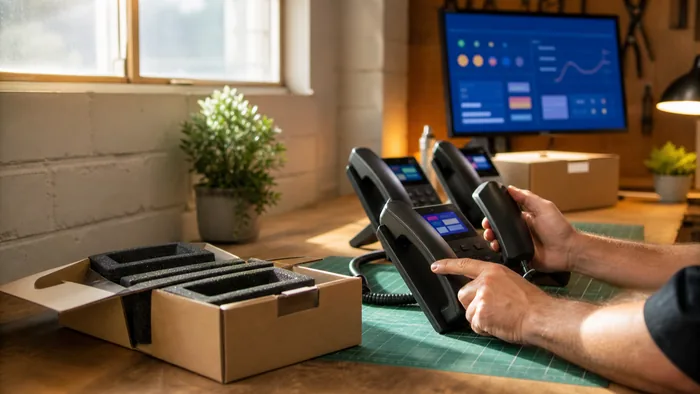
IP Phones are desk phones designed for VoIP. They're plug-and-play via Ethernet or Wi-Fi and often come with features like call transfer, conferencing, and voicemail access.
Softphones, on the other hand, are software apps (like Zoiper or Bria) installed on a PC or mobile device. They’re ideal for remote workers or hot desks.
Tip: Softphones are more cost-effective for hybrid teams or mobile staff, while IP phones are better suited to reception desks or call-heavy roles.
3. Headsets (for Softphone Users)
If you’re using softphones, a decent USB or Bluetooth headset with a noise-cancelling mic is a must. It improves call quality and reduces background noise, critical in open-plan offices.
Look for brands like Jabra, Plantronics, or Sennheiser that are certified for business VoIP use.
Optional Hardware You Might Want (But Don’t Necessarily Need)
1. VoIP Gateways or Analogue Telephone Adapters (ATAs) If you want to keep using your old analogue phones or fax machines, you’ll need a gateway or ATA. But in most cases, it’s better to replace these with VoIP-compatible devices.
Use Case: A Melbourne law firm kept their existing fax line using an ATA for compliance reasons, but shifted all voice calls to IP phones.
2. PoE Switches (Power over Ethernet) If you're installing multiple desk phones and want to avoid extra power cables, a PoE switch can power your IP phones through the Ethernet connection.
It’s not essential, but it helps with cleaner installs, especially in offices with limited power outlets.
3. On-Premises PBX Hardware Some larger businesses may opt for a hybrid setup with an on-premises PBX server. But with cloud-hosted PBX becoming the norm, this is increasingly unnecessary, especially for businesses under 100 users.
What You Can Definitely Skip
1. Traditional Landline Equipment You don’t need traditional PSTN or ISDN handsets, switchboards, or PBX gear. VoIP bypasses these entirely.
2. Physical Fax Machines Unless you're legally required to keep fax capability, ditch the fax. Digital faxing via email (e.g., eFax) is cheaper, more secure, and integrates better with cloud systems.
3. Complex Server Infrastructure If your provider is cloud-based (like us), you don’t need to host your own VoIP servers. We manage the infrastructure, so all you need is a device and internet.
Choosing Between Desk Phones and SoftphonesChoosing the right tool depends on how your team works:
| Role | Recommended Setup |
|---|---|
| Receptionist or Call Centre | Recommended SetupIP Phone with headset + desktop softphone backup |
| Remote worker | Recommended SetupSoftphone app + USB/Bluetooth headset |
| Sales rep on the go | Recommended SetupMobile softphone app |
| Manager with office desk | Recommended SetupIP phone or softphone based on preference |
Keep in mind that softphones scale better and are easier to deploy quickly, especially during team expansions or office relocations.
Common Setup Scenarios and What They Require
Small Office (Under 10 People)
- Internet with 20+ Mbps
- Mix of IP phones and softphones
- Business-grade router
- Optional PoE switch
Remote Team
- Softphone apps for all staff
- Headsets
- No physical hardware except their personal devices
Large Office (50+ Staff)
- Structured cabling
- PoE switches
- Mix of desk phones and softphones
- Possibly a hybrid PBX/cloud setup depending on needs
Final Thoughts + When to Get Expert Help
When it comes to VoIP hardware, it’s easy to overbuy. But in most cases, a reliable internet connection, softphone apps, and a few quality headsets are enough to get started. IP phones add a polished touch for roles that need them, but you can skip the big-ticket gear like on-site PBX servers unless you have very specific needs.
Need help figuring out the best setup for your business? Get in touch with our team, we’ll help you design a system that fits your size, budget, and growth plans, without the fluff.