
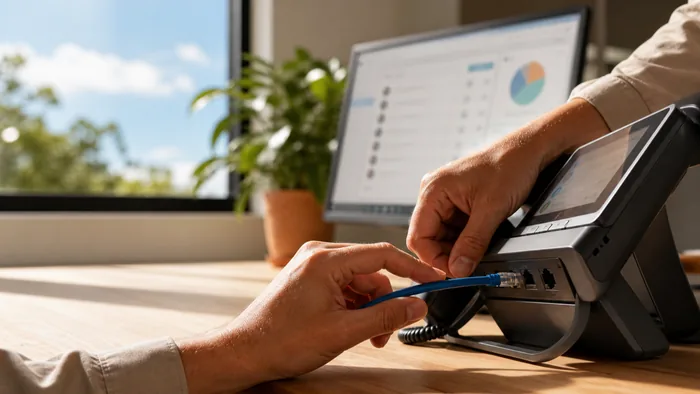
For many Australian businesses, VoIP has become the go-to choice for phone systems thanks to its cost-effectiveness, flexibility, and advanced features. But simply installing VoIP phones and connecting them to your existing network isn’t always enough to guarantee crystal-clear calls. One of the most effective ways to ensure consistent quality is to run your voice traffic on a separate VLAN (Virtual Local Area Network).
In this article, we’ll break down what a VLAN is, why it’s crucial for VoIP performance, and how your IT team (or provider) can set it up without causing chaos to your existing network.
What is a VLAN?
A VLAN (Virtual Local Area Network) is a way to segment your physical network into separate, logical networks. Even if all devices are connected to the same switch, VLANs ensure certain traffic types, such as VoIP voice calls, stay isolated from other data like file downloads, email, or video streaming.
In other words, think of a VLAN as building “lanes” on your network highway. By giving voice traffic its own lane, you can prioritise it and stop it from getting stuck behind slower, bulkier data transfers.
Why Voice Traffic Deserves Its Own VLAN
Call Quality and QoS (Quality of Service)VoIP is highly sensitive to network congestion. If your team is uploading large files or hosting video conferences at the same time as important sales calls, you can end up with lag, jitter, or dropped calls.
A dedicated VLAN allows you to apply QoS settings that give voice packets priority over less time-sensitive data. This means your CEO’s call with a key client won’t be disrupted by someone syncing their holiday photos to the cloud.
Improved Network Security
By isolating your voice network, you reduce the chances of malware or a network breach affecting your phone system. If your main network experiences a security incident, a properly configured VLAN can act as a barrier, helping keep your VoIP traffic safe.
Easier Troubleshooting and Management
When voice traffic is on its own VLAN, it’s much easier to identify and fix issues. Instead of sorting through all network activity, your IT team can quickly focus on the specific lane used for VoIP, saving both time and money.
Practical Steps to Set Up a Voice VLAN
- Check your hardware. Ensure your network switches and routers support VLAN tagging (802.1Q standard).
- Plan your VLAN IDs. Assign a unique VLAN ID for voice traffic (e.g., VLAN 20).
- Enable QoS. Configure your network devices to prioritise voice packets.
- Configure phones and endpoints. Most modern IP phones can be set to automatically tag their traffic with the correct VLAN ID.
- Test before going live. Run test calls to verify audio quality and ensure data and voice VLANs are operating as intended.
Common Mistakes to Avoid
- Using default VLANs. This can create conflicts and security gaps. Always use a custom VLAN ID.
- Forgetting QoS settings. A VLAN without QoS is just an isolated network, you still need prioritisation for real-time traffic.
- Not accounting for remote staff. If you have hybrid workers, make sure your VLAN plan integrates smoothly with VPNs or remote VoIP solutions.
Real-World Examples in Australian Businesses
- Retail chains. A national retailer separated their in-store VoIP network from public Wi-Fi, eliminating call dropouts during busy holiday sales periods.
- Professional services. An accounting firm reduced voice lag during tax season when large files were being emailed to clients.
- Healthcare clinics. Clinics isolated voice traffic to ensure reliable communication with patients while keeping sensitive medical data secure on a separate VLAN.
Conclusion
Separating your VoIP voice traffic onto its own VLAN isn’t just an IT “nice-to-have”, it’s a practical step that can dramatically improve call quality, strengthen security, and make network management simpler.
If your business relies on clear, reliable communication, it’s worth speaking with a specialist to ensure your VoIP phone system is set up for success from the start. Contact us today to find out how we can help design a VoIP network that delivers every time you pick up the phone.