
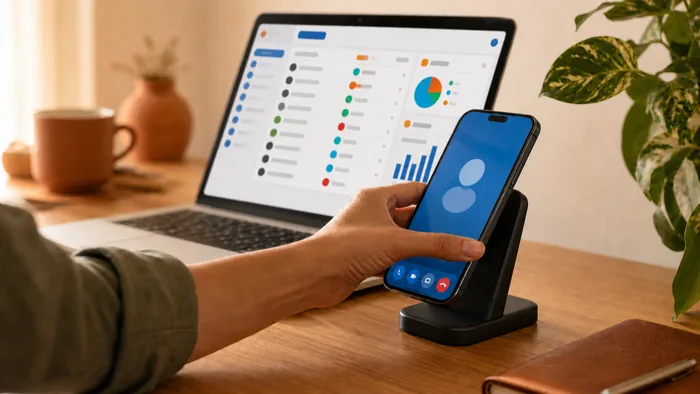
Choosing a new phone system? Read our page on phone systems for small business, or get a quote.
Choosing the right communication tool is a pivotal decision for any modern entrepreneur. In the early stages of a startup, it is common to rely on personal mobile devices to handle client inquiries. However, as an organization matures, the limitations of a "mobile-only" strategy become apparent. Understanding the nuances between a standard mobile setup and professional Business Phone Systems is essential for maintaining both operational efficiency and a professional brand image.
While mobile phones offer undeniable portability, they often lack the structural depth required to manage a growing team and a high volume of customer interactions. On the other hand, VoIP (Voice over Internet Protocol) solutions provide a comprehensive framework that integrates the mobility of a smartphone with the advanced functionality of an enterprise-grade office network.
Defining the Two Contenders: VoIP vs. Mobile
To make an informed choice, one must first understand the underlying technology. A mobile phone operates on a cellular network, relying on radio signals transmitted to and from local towers. Its primary design is for individual use, tethering a single phone number to a specific physical device and SIM card.
Modern Business Phone Systems powered by VoIP work differently. They convert voice signals into digital data transmitted over the internet. This means your "business phone" isn't a single device, but rather a virtual account that can be accessed simultaneously via a desk phone, a laptop, or an app on your smartphone. While mobile phones are a piece of hardware, VoIP is a versatile communication platform.
Professionalism and Brand Identity
First impressions are everything in the Australian business landscape. When a customer calls your business, the experience they have sets the tone for the entire relationship.
- Mobile Limitations: Using a mobile number for business can sometimes appear "small" or transitory. If you miss a call, the customer is greeted by a personal voicemail. Furthermore, there is no way to route the call to another department or provide an introductory greeting.
- VoIP Advantages: With professional Business Phone Systems, you can present a local landline number (e.g., an 02 or 03 prefix) or a 1300 toll-free number. Callers are met with a professional Auto Attendant, "Press 1 for Sales, 2 for Support", which immediately establishes your business as an established and organized entity, regardless of your actual office size.
Feature Comparison: Beyond the Standard Call
The gap between these two options widens significantly when looking at call management features. Mobile phones are designed for one-to-one communication, whereas Business Phone Systems are built for workflow.
Call Routing and Queuing
In a mobile-only environment, if you are on a call, the next caller gets a busy signal or goes to voicemail. VoIP allows for sophisticated call queuing and hunting groups. If the primary line is busy, the call can automatically ring the next available team member, ensuring that potential revenue is never left hanging on a busy tone.
Shared Information and Integration
VoIP systems often integrate directly with Customer Relationship Management (CRM) tools. When a client calls your Business Phone Systems line, their account history can automatically pop up on your screen. Mobile phones act as "information silos," where call history and contact details are trapped on an individual's device, making it difficult for teams to collaborate on client accounts.
Cost Efficiency and Scalability for Growing Teams
For a solo operator, a mobile phone might seem cheaper initially. However, as soon as you hire your first employee, the costs of a mobile-only strategy begin to spiral.
Buying a new handset and a separate monthly mobile contract for every new hire is expensive. In contrast, adding a new user to your Business Phone Systems is typically a matter of a few clicks in an online portal. Since VoIP uses your existing internet connection, you avoid the heavy "per-line" rental fees associated with traditional telco providers. Additionally, international and long-distance rates on VoIP are a fraction of those charged by cellular carriers, providing significant savings for businesses with global reach.
Privacy, Security, and Work-Life Balance
One of the most overlooked aspects of using personal mobiles for work is the impact on privacy and employee well-being.
The Privacy Shield
When employees use their personal mobiles to call clients, they are giving out their private numbers. If that employee leaves the company, they take those client relationships and the primary point of contact with them. By using Business Phone Systems apps on their mobiles, staff can make and receive calls using the company number. This keeps personal numbers private and ensures the business retains ownership of the communication channel.
Defining the Working Day
Mobile phones are "always on," which can lead to burnout as work calls bleed into personal time. VoIP systems allow for "Business Hours" settings. After 5:00 PM, calls can be automatically routed to an after-hours voicemail or a designated on-call mobile, allowing your team to disconnect and recharge without missing urgent queries.
The Verdict: Why a Hybrid Approach with VoIP System Wins
So, what is better? For a hobbyist, a mobile phone may suffice. But for any organization looking to grow, project authority, and operate efficiently, modern Business Phone Systems are the clear winner.
The beauty of the modern era is that you don't actually have to choose one over the other. The most effective setup is a hybrid one: using a robust VoIP backend from a provider like VoIP System, which then extends to mobile apps on your team's existing devices. This gives you the professional features of a corporate PBX with the total mobility of a smartphone.
Transitioning to a dedicated system ensures that your business is scalable, your professional image is protected, and your team is equipped with the data and tools they need to provide exceptional service.
To move beyond the limitations of a standard mobile plan, speak with the team at VoIP System to explore modern Business Phone Systems solutions tailored to your organisation.