
Phone systems for healthcare practices
Planning a new system or switching provider?
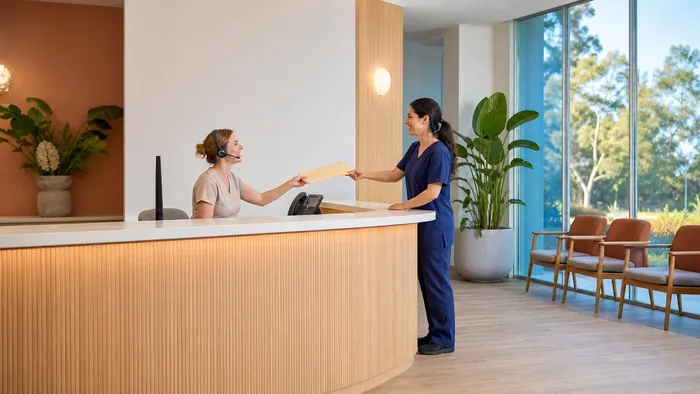
A practice phone system has one job that matters more than the others. Somebody who rings should reach a person, and what they say should stay between them and you. This page covers both, and what to do about the calls your front desk should never have had to take.
Why a practice is not an ordinary office
In most offices the phone is an interruption. At a practice reception it is a second job being done at the same time as the first, while somebody stands at the counter waiting to be seen.
- The caller is often unwell, anxious, or ringing about somebody they are worried about
- What they say is sensitive from the first sentence, before anyone has decided it is
- A missed call is usually a missed appointment, and an appointment nobody fills is gone
- The busiest hour on the phone is the busiest hour at the desk, every day, by definition
None of that is fixed by a better handset. It is fixed by deciding what happens to a call before it reaches a person, which is what the rest of this page is about.
Privacy, and the parts of it a phone system actually touches
A phone system moves patient information around whether anybody planned it or not. Three places in particular.
- Voicemail sent to email puts what a patient said into an inbox, and inboxes get forwarded
- Call recording turns a conversation into a file that exists afterwards, and somebody can play it
- A shared directory and a screen showing who is calling puts a name in front of whoever picks up
The rules on recording a call are not the same in every state and they are not something a phone company should be advising you on. Ask your own adviser what applies to you.
What we can tell you is what the system will do once you have decided. Recording can be off entirely, on for some extensions and not others, or announced at the start of a call. Access to recordings can be limited to named people. Voicemail can go to a shared practice mailbox rather than an individual inbox. Those are settings, and they should be set on purpose rather than left on whatever the default was.
The calls your front desk should not be taking
A large share of the calls into a practice are the same handful of questions, and none of them needs a person.
- Confirming or cancelling an appointment, which a menu option can handle without anybody picking up
- Asking whether you are running on time, which is the call that arrives when reception is least able to take it
- Repeat prescription requests, which can go to a mailbox that gets worked through once rather than interrupting twenty times
- Opening hours, address and parking, which a recorded message answers correctly every time
Reminders work the other way round. A system that sends an appointment reminder before the day turns a proportion of no-shows into either an attendance or enough notice to fill the slot, and it does it without anybody ringing anyone.
What sits at the front desk and in the rooms
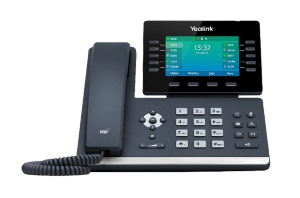
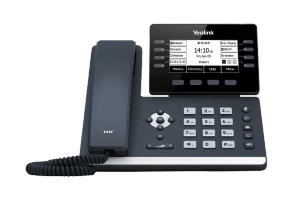
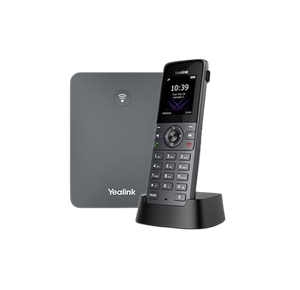
A phone with the line keys reception actually needs, a simpler one in each consult room, and a cordless for the staff who are not at a desk. Prices exclude GST.
After hours, and who a patient reaches at nine at night
Every practice needs an answer to this and most have one by accident rather than by design.
The minimum is a recorded message that says when you open, tells the caller to ring 000 in an emergency, and gives them the one piece of information that stops them ringing back at midnight. It is a small thing to set up and it is often the difference between a patient who waits and a patient who goes elsewhere.
Beyond that, out of hours calls can route to an on call mobile, to a different number depending on the day, or to a mailbox that is checked first thing. What suits you is a decision about how your practice works rather than a technical question.
Dental practices
Dental sits on this page rather than having one of its own, on purpose. The questions are the same ones above and the answers do not change, so a separate page would compete with this one for the same searches and both would do worse.
What is a little different in a dental practice is the shape of the day. Recalls and hygiene appointments are booked a long way ahead, so reminders do more work than they do elsewhere. And the emergency call, somebody in real pain who will go to whoever answers, is the call most worth never missing.
Practice management software, and what a phone system can do alongside it
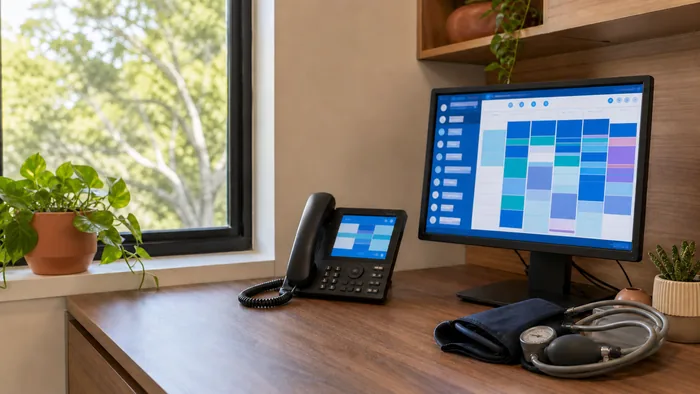
The useful version of this is simple, where the two ends connect. The system looks up the incoming number, and if the software recognises it the record can be on screen when somebody says hello, with the call logged against it afterwards rather than typed up.
That saves the fifteen seconds at the start of every call where somebody asks who is speaking and spells a surname back. Across a day at a busy reception, that is not a small number.
Whether your own software connects is a real question with a real answer, it varies a great deal between products, and it changes over time. Tell us what you run and we will check it properly rather than guess.
What we do, and what we are not
We are VoIP System, an independent Australian phone systems company. We install business phone systems, move numbers onto them, build the call routing and support them afterwards.
We are not a medical software company and we do not give advice about your obligations to your patients. We do the phones, and we will tell you plainly which of the things above your system can already do.
We are not one of the manufacturers whose equipment we install, and we are not a partner, reseller or authorised agent of any of them. More about how we work is on our about page.
Talk to us about your practice
Tell us how many people sit at reception, roughly how many calls a day come in, and what happens to them after hours now. That is enough for us to say which of the things above would actually help.
Call 1300 865 879, or send us the details and we will come back to you.
Common questions
- Can we record calls at a medical practice?
- That is a question for your own adviser rather than for us, because the rules differ between states and we are a phone company. What we can tell you is what the system does once you have decided: recording can be off, on for particular extensions only, or announced at the start of a call, and access to recordings can be restricted to named people.
- Will it work with our practice management software?
- Sometimes, and it depends entirely on which one you run. Support varies a great deal between products and it changes over time, so tell us what you use and we will check it properly rather than guess. What it does when it works is show the patient record as the call comes in and log the call afterwards.
- Can patients confirm appointments without speaking to reception?
- Yes. A menu option can take a confirmation or a cancellation without anybody picking up, and reminders can go out before the appointment. Between them they take a real share of the daily call volume off the front desk.
- What happens to calls when the practice is closed?
- Whatever you decide. The common arrangement is a recorded message with your hours and a clear instruction to ring 000 in an emergency, then either a mailbox checked first thing or a divert to an on call mobile. The important part is that it is set deliberately rather than left as whatever came with the old system.
- Do we need a handset on every desk?
- No. Clinical rooms often do better with a cordless handset or the system running as an app on a computer, and reception is usually the only place that genuinely needs a phone with a lot of buttons on it.