
Choosing a new phone system? Read our page on phone systems for small business, or get a quote.
VoIP doesn’t have to be complicated. This beginner-friendly guide walks you through setting up VoIP for your business, even if you don’t have an IT background.
Many business owners hesitate to switch to VoIP because they think it requires advanced technical knowledge. The good news? It doesn’t. Modern VoIP systems are designed to be simple, with most providers offering plug-and-play options that anyone can set up. Whether you’re running a small office, a home-based business, or a growing company, you can have a VoIP system live in a matter of hours, without calling in an IT expert.
This walkthrough will show you the key steps to get started, what equipment you need, and how to avoid common mistakes along the way.
1. What You Need Before You Start
The most important requirement for VoIP is a stable internet connection. Ideally, you’ll want:
- Reliable broadband or NBN service with enough bandwidth for calls.
- A router that supports Quality of Service (QoS) to prioritise voice traffic.
- Devices such as desk phones, headsets, or just your computer or smartphone.
For most small businesses, these are things you already have.
2. Choosing the Right VoIP Provider
Providers vary in features, support, and pricing. Look for one that offers:
- Easy online setup and account management.
- Local Australian support in case you need help.
- Plans that match your call volumes (local, mobile, and international).
- Features you’ll actually use, like voicemail-to-email or call forwarding.
3. Setting Up Your VoIP Equipment
There are three common ways to connect:
- Softphone apps: Install an app on your computer or smartphone. Great for remote teams.
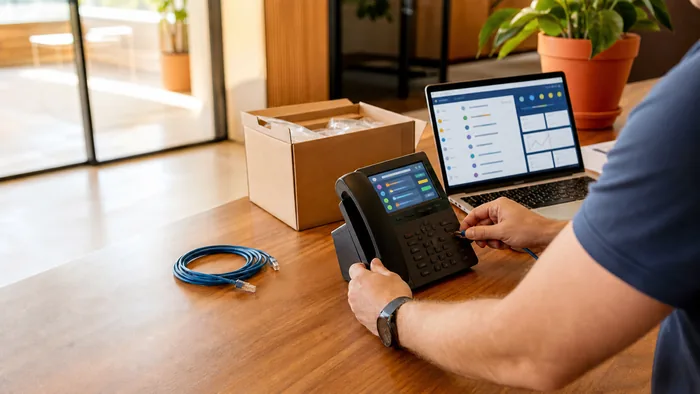
- IP desk phones: These plug directly into your router or modem and work like a traditional phone.
- Adapters (ATA): Let you use your existing analogue phones with VoIP.
Most providers ship devices pre-configured, so it’s as simple as plugging them in.
4. Configuring Your Numbers and Extensions
Once your account is active:
- Assign direct numbers or extensions to staff.
- Set up a main business number with a greeting.
- Add call routing rules (e.g., sales to one team, admin to another).
This step ensures customers reach the right person quickly.
5. Testing Call Quality and Features
Before going live, make a few test calls. Check:
- Voice clarity and lack of delay.
- Features like call transfer, voicemail, and forwarding.
- How the system performs on different devices (mobile, laptop, desk phone).
If you notice issues, tweak your router settings to prioritise VoIP traffic.
6. Training Your Team on the Basics
Even the best system won’t work if staff don’t know how to use it. Show your team:
- How to answer and transfer calls.
- How to check voicemail.
- How to use any apps for mobile calls.
A short walkthrough is often enough for everyone to feel comfortable.
7. FAQs
Q: Can I keep my existing phone number?
Yes, most providers let you port your landline number to VoIP.
Q: Do I need special phones?
Not necessarily. You can use apps on your existing computers or mobiles, or purchase IP phones if preferred.
Q: What if my internet goes down?
Many VoIP systems can automatically forward calls to mobiles so you stay reachable.
Conclusion
Setting up VoIP isn’t nearly as technical as it sounds. With a good internet connection, the right provider, and a quick setup, you can have a professional-grade phone system running without any IT expertise. The biggest benefit? You’ll gain features, flexibility, and savings that traditional phones can’t match.
Ready to make the switch? Contact us today to set up a VoIP solution tailored to your business, no IT degree required.