
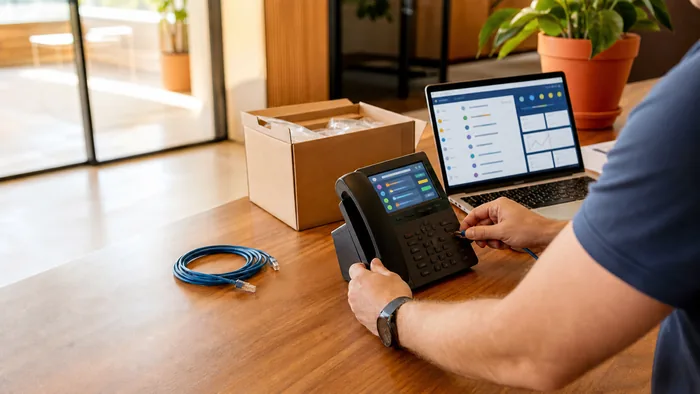
Transitioning to a modern communication infrastructure can feel like a daunting technical hurdle for many business owners. The shift from traditional copper-wire desk phones to digital connectivity often brings up concerns about downtime, technical complexity, and hardware compatibility. However, in 2026, the evolution of Business Phone Systems has reached a point where deployment is more streamlined and accessible than ever before.
For Australian companies looking to modernise, the setup process is no longer about intensive manual labor and complex on-site wiring. It is about strategic configuration and choosing the right digital environment. Whether you are operating a boutique agency or managing a growing multi-site enterprise, understanding the roadmap to implementation is key to a smooth transition. This guide provides a clear, step-by-step walkthrough to help beginners navigate the deployment of modern Business Phone Systems without the stress.
Preparing Your Infrastructure for Digital Success
The foundation of any successful communication strategy starts with preparation. Unlike legacy systems that required a physical PBX box in a server closet, modern Business Phone Systems exist in the cloud. This means the "physical" part of your setup is significantly reduced.
Before you begin, audit your current environment. How many users will need a dedicated line? Do you have employees working remotely who need access on their mobile devices? By defining your requirements early, you can ensure that your business VoIP solutions are scaled perfectly to your needs, avoiding the cost of unused capacity.
Assessing Your Internet Connection and Network Capacity
Because VoIP (Voice over Internet Protocol) transmits voice as data, the quality of your calls is directly linked to the quality of your internet connection. In Australia, the availability of high-speed NBN and fiber connections has made this transition much easier.
A standard high-definition voice call uses relatively little bandwidth, but when you multiply that by twenty staff members all on the phone simultaneously, the load increases. It is recommended to use a business-grade router that supports Quality of Service (QoS). This allows you to prioritise voice traffic over other data, ensuring that a large file download in the accounting department doesn't cause jitter or dropped calls on your Business Phone Systems.
Choosing the Right Hardware: Desk Phones vs. Softphones
One of the most flexible aspects of internet phone systems is the choice of hardware. You are no longer tethered to a specific brand of proprietary desk phone. You generally have three options:
IP Desk Phones: These look and feel like traditional phones but plug into your internet router via an Ethernet cable.
Softphones: This is software installed on a computer. It allows staff to use a headset plugged into their laptop, making it the ideal choice for modern, minimalist offices.
Mobile Apps: Most professional Business Phone Systems offer dedicated apps, allowing smartphones to act as an extension of the office system.
Many Australian businesses opt for a hybrid approach, providing desk phones for reception and executive offices while using softphones for remote sales teams.
Selecting Your Business Phone Systems Provider
Your choice of provider is the most critical step in the process. You are looking for more than just a dial tone; you are looking for a partner that offers reliable uptime, local Australian support, and a robust feature set.
When evaluating providers, look for those offering hosted PBX solutions that include security features like end-to-end encryption. A quality provider will offer an intuitive administrative portal, allowing you to manage your entire system, from adding new users to changing your "on-hold" music, without needing a degree in computer science.
Configuring Your Virtual Office: Extensions and Routing
Once you have selected a provider, the digital setup begins. This is where you define the "brain" of your Business Phone Systems. You will set up:
User Extensions: Assigning unique numbers to each team member.
Ring Groups: Ensuring that when a customer calls "Sales," all relevant handsets ring simultaneously.
Auto Attendants: Recording your initial greeting and setting up the "Press 1 for Support" menu.
This stage is your opportunity to design the perfect customer experience. Think about how you want a call to flow from the moment it is placed until it is answered.
Porting Your Existing Australian Phone Numbers
A common fear is losing a well-known business phone number during a move. Fortunately, number porting is a standard process. Your new provider will work with your current carrier to "move" your existing numbers into the new digital system.
While this process can take a few days to a few weeks depending on the complexity of your current contract, it happens in the background. Your old system stays active until the port is complete, ensuring there is no "blackout" period where customers cannot reach you. This is a vital step in maintaining continuity for any office phone systems upgrade.
Staff Training and System Testing
Before going live, it is essential to run a pilot test. Make internal and external calls to verify clarity. Test your "voicemail to email" settings and ensure that the mobile apps are syncing correctly.
Training your staff is equally important. Even the most advanced Business Phone Systems are only effective if the team knows how to use them. Show your staff how to transfer calls, set their status to "Do Not Disturb," and access their call analytics. When your team feels confident with the technology, your customer service quality will naturally rise.
Simplifying Your Transition with VoIP System
Setting up a new communication platform is a milestone in your business’s digital journey. By moving to a cloud-based model, you are embracing scalability, cost-efficiency, and a level of flexibility that traditional landlines simply cannot match.
While the steps outlined above provide a clear path, having expert guidance can save you time and prevent common configuration errors. At VoIP System, we specialise in helping Australian organisations navigate the setup of their Business Phone Systems with ease. We handle the technical heavy lifting, from initial network audits to final staff training, so you can focus on what matters most, running your business.
If you are ready to leave legacy hardware behind and experience the clarity of modern business communication solutions, reach out to the team at VoIP System today. We are here to ensure your transition is seamless, professional, and tailored to your unique requirements.