
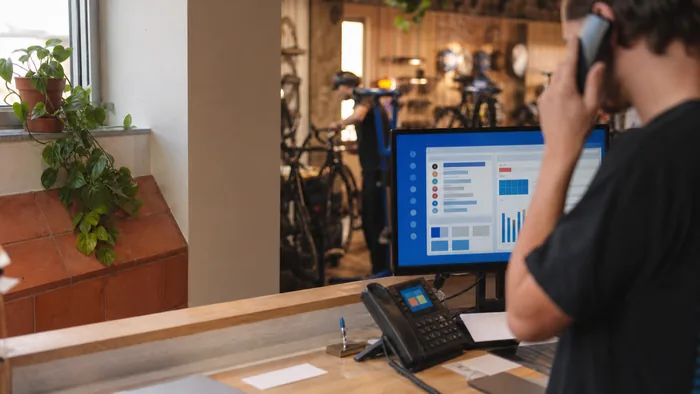
VoIP and BYOD policies work hand in hand. Learn how VoIP supports personal devices in the workplace, balancing flexibility, professionalism, and security.
Bring Your Own Device (BYOD) is no longer just a tech trend, it’s become standard practice for many Australian workplaces. Letting employees use their personal phones, laptops, or tablets can save costs and support flexible working arrangements. But how do you keep business calls professional, secure, and easy to manage in a BYOD setup? This is where VoIP fits perfectly.
In this article, we’ll break down how VoIP integrates into a BYOD office, the benefits it brings, and the key points to manage for a smooth rollout.
1. Why BYOD and VoIP Make a Strong Match
Traditional phone systems were tied to desks and company-owned hardware. VoIP breaks that limitation by letting staff connect through apps or web-based platforms. With BYOD:
- Employees can use their own smartphones or laptops to make and receive calls.
- Business numbers stay consistent, even if staff use personal devices.
- Remote and hybrid work becomes simpler to manage.
Together, BYOD and VoIP give companies flexibility without big hardware investments.
2. Setting Up VoIP on Personal Devices
Getting started is usually straightforward:
- Download the VoIP app provided by your service provider.
- Log in with work credentials to access your company’s phone system.
- Choose your device, smartphone, laptop, or tablet, to make and receive calls.
Most providers configure apps so that staff can start using VoIP within minutes.
3. Keeping Business and Personal Use Separate
A common BYOD worry is the blurring of personal and professional communications. VoIP solves this by:
- Showing the company’s caller ID instead of a personal mobile number.
- Offering separate voicemail inboxes for business calls.
- Allowing staff to switch between work mode and personal use easily.
This helps employees keep their privacy while giving customers a professional experience.
4. Managing Security in a BYOD Environment
BYOD introduces more variables, different devices, networks, and user habits. To maintain security:
- Use VoIP apps with end-to-end encryption.
- Enable two-factor authentication for logins.
- Train staff to avoid insecure public Wi-Fi unless using a VPN.
- Consider device management policies for larger teams.
These steps make sure BYOD doesn’t compromise call security or customer data.
5. Cost Advantages for Australian Businesses
BYOD and VoIP combined can save money in several ways:
- No need to purchase a phone for every employee.
- Lower call rates compared to traditional phone carriers.
- Minimal IT setup since most devices already belong to staff.
For small and medium-sized businesses, the cost savings can be significant while still keeping operations professional.
6. Real-World BYOD + VoIP Examples
- Real estate agencies: Agents use their own mobiles with VoIP apps but show the agency number to clients.
- Consultancies: Staff log into the VoIP system on laptops across multiple sites, maintaining consistent communication.
- Gyms and fitness studios: Trainers handle bookings through a VoIP app, keeping personal numbers private.
These examples show how flexible VoIP can be in practice.
7. FAQs
Q: Do employees need the latest devices for VoIP to work?
No, most VoIP apps run smoothly on standard smartphones and laptops.
Q: What happens if someone leaves the business?
You can revoke their access instantly, keeping company calls and contacts secure.
Q: Can VoIP work if internet connections are weak?
Yes, but call quality depends on connection stability. Many apps can adjust to low bandwidth to maintain usable audio.
Conclusion
VoIP fits naturally into a BYOD office, offering flexibility for employees and cost savings for businesses, all while keeping calls secure and professional. By setting up the right apps, enforcing security measures, and maintaining a clear line between business and personal use, you can make BYOD and VoIP work hand in hand.
If you’re ready to explore a BYOD-friendly VoIP solution for your workplace, get in touch with us today.